Quick answer
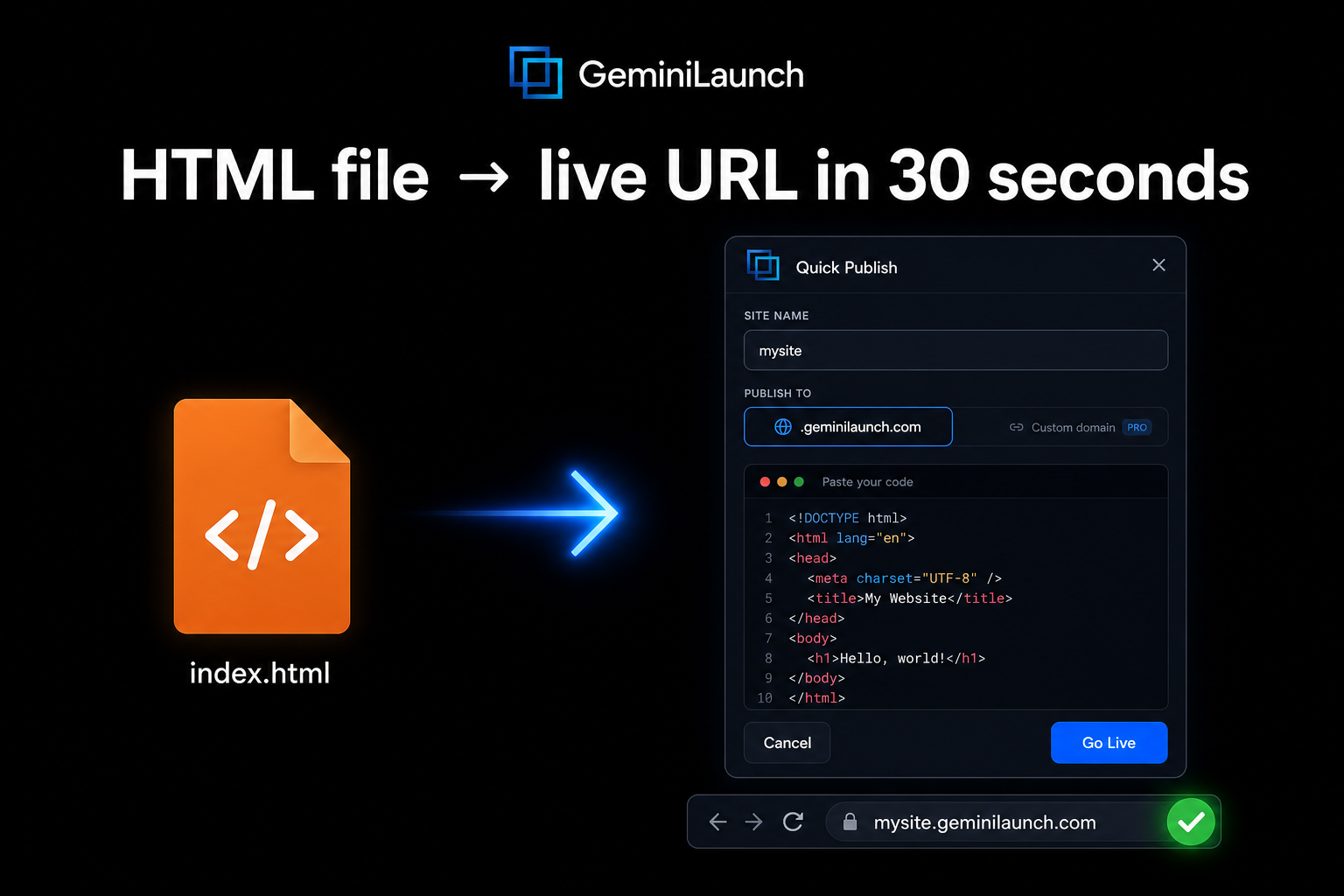
To host an HTML file online for free: paste your code into GeminiLaunch and click publish — you get a live URL in under 30 seconds. No account, no terminal, no build step. Alternatives include dragging your folder into Netlify Drop, uploading a zip to Tiiny.host, or setting up GitHub Pages for long-term projects. All six options in this guide are free and include HTTPS.
Context
Who needs free HTML hosting — and why it matters in 2026
Three years ago, hosting an HTML file meant either learning Git or paying for shared hosting you did not need. In 2026 the landscape is completely different. AI tools generate complete websites from a single prompt, and millions of people now have HTML files they did not write by hand.
The gap is always the same: the code exists on your computer, but getting it to a shareable URL feels harder than it should be. You do not need a server. You do not need a domain. You just need the file online with a link you can send someone.
Here is who typically searches for free HTML hosting:
Non-technical founders who generated a landing page with ChatGPT, Claude, or Gemini and want it live
Students submitting a class project that needs to be viewable in a browser
Freelancers sending a quick mockup or portfolio page to a client
Developers testing a static build before committing to full deployment
Anyone with an HTML file and no interest in configuring servers
Key insight
The fastest path from an HTML file to a live URL is not the most technical one. Drag-and-drop and paste-and-publish tools now do in 30 seconds what used to take an afternoon of server configuration.
Compare
6 free HTML hosting platforms, compared
Every platform below hosts HTML files for free with HTTPS included. The difference is how you get the file there and what you get back.
| Platform | Method | Setup time | Account | Custom domain | React | Best for |
|---|---|---|---|---|---|---|
| GeminiLaunch | Paste code → click publish | Under 30 seconds | No (optional for dashboard) | Lite $5/mo (1) · Pro $15/mo (5) | Yes — auto-detected | AI-generated code (ChatGPT, Claude, Gemini, bolt.new) |
| Netlify Drop | Drag folder into browser | Under 60 seconds | No (optional) | Free (with account) | No — HTML only on Drop | Quick one-off HTML deploys |
| Tiiny.host | Zip and upload | Under 60 seconds | No | Paid tier only | No | Sharing a single page fast |
| GitHub Pages | Create repo → push files → enable Pages | 5–15 minutes | Yes (GitHub account) | Free | No (static files only) | Developers who already use Git |
| Cloudflare Pages | Connect repo → auto-deploy | 10–20 minutes | Yes (Cloudflare + GitHub) | Free | Yes (with build step) | Global performance, unlimited bandwidth |
| Static.app | Drag file into browser | Under 30 seconds | No | Paid tier | No — HTML only | Instant HTML hosting with SSL |
Git-based hosting
GitHub Pages and Cloudflare Pages give you version control, CI/CD, and free custom domains — but require a GitHub account and comfort with repositories. Best for developers and long-term projects.
Paste-and-publish
GeminiLaunch, Netlify Drop, Tiiny.host, and Static.app get you a live URL in under a minute with no Git knowledge. GeminiLaunch is the only one that also handles React and JSX from AI tools.
Step-by-step
Host your HTML file in 4 steps
This walkthrough uses the fastest path — paste-and-publish on GeminiLaunch — with notes for other platforms at each step.
Get your HTML file ready
You need an HTML file on your computer. If you used ChatGPT, Claude, or Gemini to generate a website, copy the code into a text editor and save it as index.html. If you already have an HTML file from a template, a class project, or your own code — you are ready. Make sure the file is named index.html — web servers look for this filename as the default homepage.
Tip: If your site has CSS or JavaScript in separate files, keep them in the same folder. Most hosting platforms accept a folder or zip file with everything together.
Pick your hosting method
Your choice depends on one question: how technical do you want to get? If you want the fastest possible path — paste code or drag a file and get a URL — use GeminiLaunch, Netlify Drop, Tiiny.host, or Static.app. If you want version control and long-term project management, use GitHub Pages or Cloudflare Pages. There is no wrong answer — just different trade-offs between speed and control.
Tip: If your HTML was generated by an AI tool and includes React or JSX code, GeminiLaunch is the only paste-and-publish option that handles both HTML and React without a build step.
Upload or paste your code
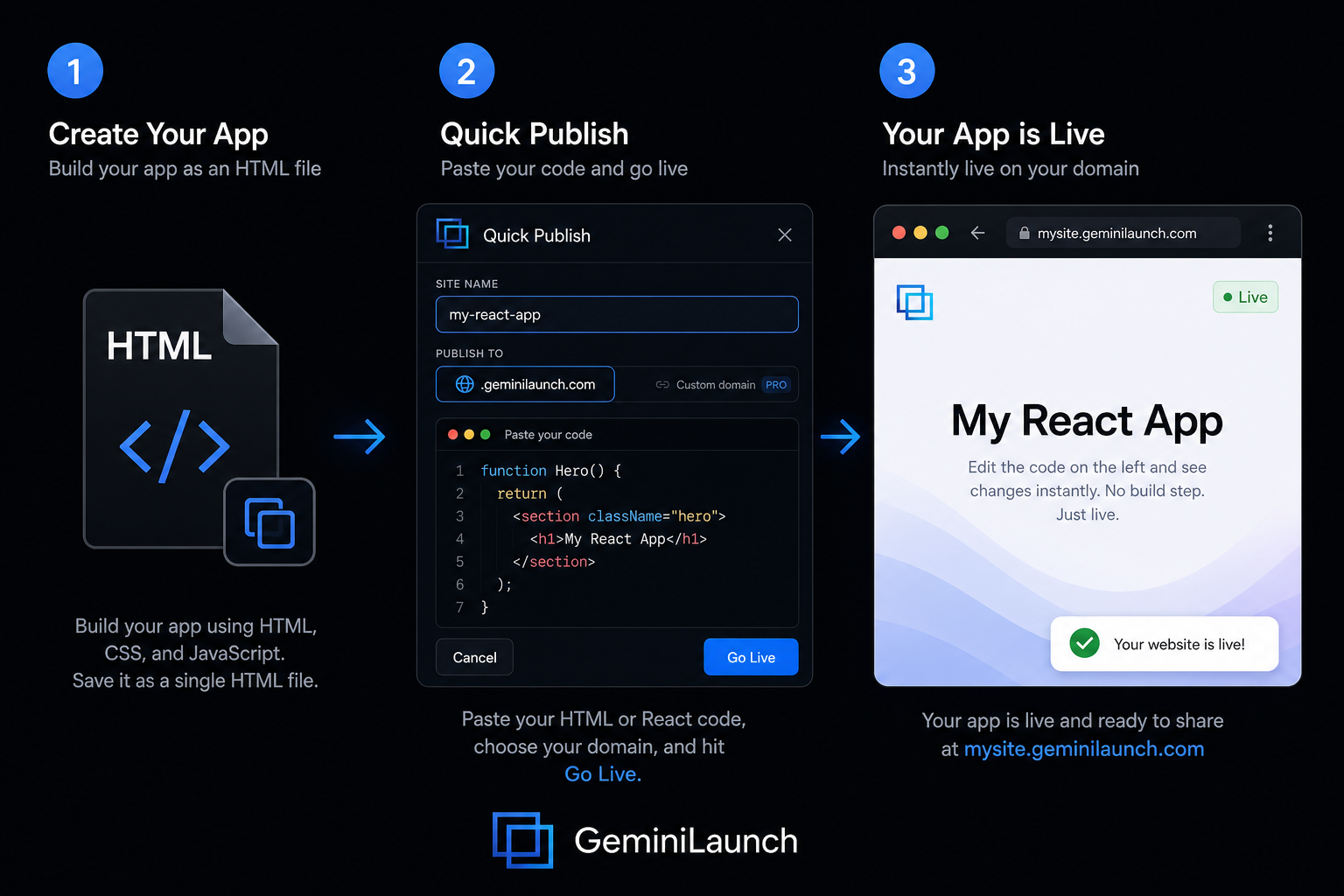
On GeminiLaunch: go to geminilaunch.com, create a new project, paste your HTML or React code directly into the editor, and click publish. On Netlify Drop: go to app.netlify.com/drop and drag your entire project folder into the browser window. On Tiiny.host: zip your files and upload the zip. On Static.app: drag your HTML file onto the page. On GitHub Pages: create a repository, upload your files, and enable Pages in settings.
Tip: GeminiLaunch auto-detects whether your code is HTML or React — no dropdown, no config file. Paste and publish.
Get your live URL and share it
Within seconds you get a public URL anyone can visit. On GeminiLaunch it is yoursite.geminilaunch.com. On Netlify it is a random subdomain like amazing-otter-1a2b3c.netlify.app. On GitHub Pages it is username.github.io/repo-name. Share the link, add it to your portfolio, send it to a client, or put it on your resume. The page is live on the internet with HTTPS included.
Tip: When you are ready for a custom domain like yourbrand.com, GeminiLaunch Lite ($5/mo) lets you connect one with a single DNS record; Pro ($15/mo) includes up to 5. GitHub Pages and Cloudflare Pages offer free custom domains but require more setup.
2026 context
Hosting AI-generated websites — the new use case
Most people searching for free HTML hosting in 2026 are not hand-coding websites. They are generating them with ChatGPT, Claude, Gemini, or tools like bolt.new and Lovable. The workflow is the same every time: prompt an AI tool, get code, and need a URL.
The complication is that AI tools often output React — not plain HTML. If you see import React or <Component /> in your code, you have React output. Most free HTML hosts will not render it. You need a platform that compiles React — and among paste-and-publish tools, GeminiLaunch is the only one that does this automatically.
If your AI tool gave you plain HTML (no import statements, just standard <html>, <body>, <div> tags), any platform on this list will work. GeminiLaunch, Netlify Drop, and Static.app are all under 60 seconds.
ChatGPT
Usually outputs plain HTML. Works everywhere.
Best option: Any platform
Claude
Artifacts often output React JSX. Check for import statements.
Best option: GeminiLaunch (auto-detects React)
Gemini
Usually outputs plain HTML. Works everywhere.
Best option: Any platform
bolt.new / Lovable
Always outputs React with Tailwind CSS.
Best option: GeminiLaunch or Vercel
Avoid these
Common mistakes when hosting HTML files
Naming your file something other than index.html
Web servers look for index.html as the default page. If your file is called mysite.html or homepage.html, most platforms will not serve it automatically. Rename it before uploading.
Forgetting to include CSS and image files
If your HTML references a styles.css or images in a subfolder, you need to upload the entire folder — not just the HTML file. Missing files mean broken styling or missing images on the live site.
Using a Git-based host when you just want something online fast
GitHub Pages and Cloudflare Pages are great for ongoing projects. But if you just need a link to share today, setting up a Git repository is unnecessary work. Use a paste-and-publish or drag-and-drop tool instead.
Trying to host React or JSX on a static HTML host
If your AI tool generated React code (you will see import statements, JSX tags, and components), plain HTML hosts like Tiiny.host or Static.app will not render it. You need a platform that compiles React — like GeminiLaunch or Vercel.
Assuming free hosting means no HTTPS
Every platform listed in this guide provides free SSL certificates. Your site will load on https:// automatically. You do not need to buy or configure an SSL certificate separately.
Be practical
When free HTML hosting is all you need
Free hosting is not a compromise for most projects. It is the right choice when:
You are publishing a landing page, portfolio, resume, or project showcase
Your site is static — no backend database, no user logins, no server-side code
You are testing an idea or sharing a prototype before investing in a domain
You generated a website with AI and want it online fast without learning DevOps
You are a student or freelancer who needs a link, not an infrastructure stack
Paid hosting makes sense when you need a custom domain for a business, server-side logic like authentication or payments, or guaranteed uptime SLAs. For everything else — free is fine.
Related guide
Host HTML without GitHub
Paste-and-publish for a single HTML file — no repo, no git push, no terminal.
Read the guideRelated guide
Preview AI HTML before you publish
Free browser HTML viewer — test ChatGPT or Claude markup before you host it.
Read the guideRelated guide
AI web hosting — 14 options
Builders vs compute vs hosts for AI-generated code — pick the right meaning first.
Read the guideFAQ
Frequently asked questions
Common questions about hosting HTML files online for free.
How do I host an HTML file online for free?
The fastest way is to paste your HTML code into GeminiLaunch and click publish — you get a live URL in under 30 seconds with no account required. Alternatives include dragging your file into Netlify Drop or Static.app, or uploading a zip to Tiiny.host. All are free.
Can I host an HTML file without registration?
Yes. GeminiLaunch, Netlify Drop, Tiiny.host, and Static.app all let you publish an HTML file without creating an account. You get a public URL immediately. An account is only needed if you want to manage or update the site later.
What is the best free HTML hosting platform in 2026?
It depends on your workflow. For speed, GeminiLaunch and Netlify Drop are the fastest — under 60 seconds to a live URL. For long-term projects with version control, GitHub Pages is free and reliable. For global performance, Cloudflare Pages offers unlimited bandwidth on the free tier.
Can I host HTML and React on the same platform for free?
GeminiLaunch is the only paste-and-publish platform that auto-detects both HTML and React code. You do not need to configure anything — paste either format and it renders correctly. Other free hosts like Tiiny.host and Static.app only support plain HTML.
Can I connect a custom domain to free HTML hosting?
GitHub Pages and Cloudflare Pages both support free custom domains. GeminiLaunch supports custom domains from Lite at $5 per month (1 domain; Pro $15/mo for up to 5). Tiiny.host and Static.app require paid plans for custom domains.
Is free HTML hosting good enough for a business website?
For a landing page, portfolio, or MVP — absolutely. All platforms listed here provide HTTPS, decent speed, and reliable uptime. For a large e-commerce site or something with server-side logic, you will eventually need paid hosting with backend support.
How do I host a ChatGPT or Claude-generated website for free?
Copy the code from ChatGPT or Claude, paste it into GeminiLaunch, and click publish. GeminiLaunch handles both HTML and React output from AI tools without any build step. Your site goes live in seconds at a free subdomain URL.
Do I need to know coding to host an HTML file?
No. If you already have the HTML file — whether you wrote it, downloaded a template, or generated it with AI — hosting it requires zero coding knowledge. You are uploading or pasting a file, not writing code.
Can I update my site after publishing?
Yes, on every platform. On GeminiLaunch, paste updated code into the same project and republish — your URL stays the same. On GitHub Pages, push new files to the repository. On Netlify, re-drag the updated folder. Updates go live in seconds.
What is the difference between HTML hosting and web hosting?
HTML hosting (also called static hosting) serves files exactly as they are — HTML, CSS, JavaScript, and images. Traditional web hosting runs server-side code like PHP or Node.js. For AI-generated websites, landing pages, and portfolios, static HTML hosting is all you need.
Will my free hosted site show up on Google?
Yes. Pages hosted on GeminiLaunch, GitHub Pages, Netlify, and Cloudflare Pages are all indexable by Google. Submit your URL in Google Search Console to speed up indexing. Custom domains generally rank better than subdomains.
Is there a file size limit for free HTML hosting?
Limits vary by platform. Tiiny.host allows up to 3 MB on the free tier. Netlify and Cloudflare Pages are generous with static assets. For a typical landing page or portfolio — a few HTML files, some CSS, and images — you will not hit any limits on any platform listed here.
Like this guide? Make GeminiLaunch a preferred source.
Get our hosting and deployment guides surfaced first in your Google results, AI Overviews, and Top Stories.
Your HTML file deserves a live URL
Stop emailing HTML files or screen-sharing your localhost. Paste your code into GeminiLaunch, click publish, and share a real link. Works with HTML and React — no account, no build step, no cost.