Quick answer
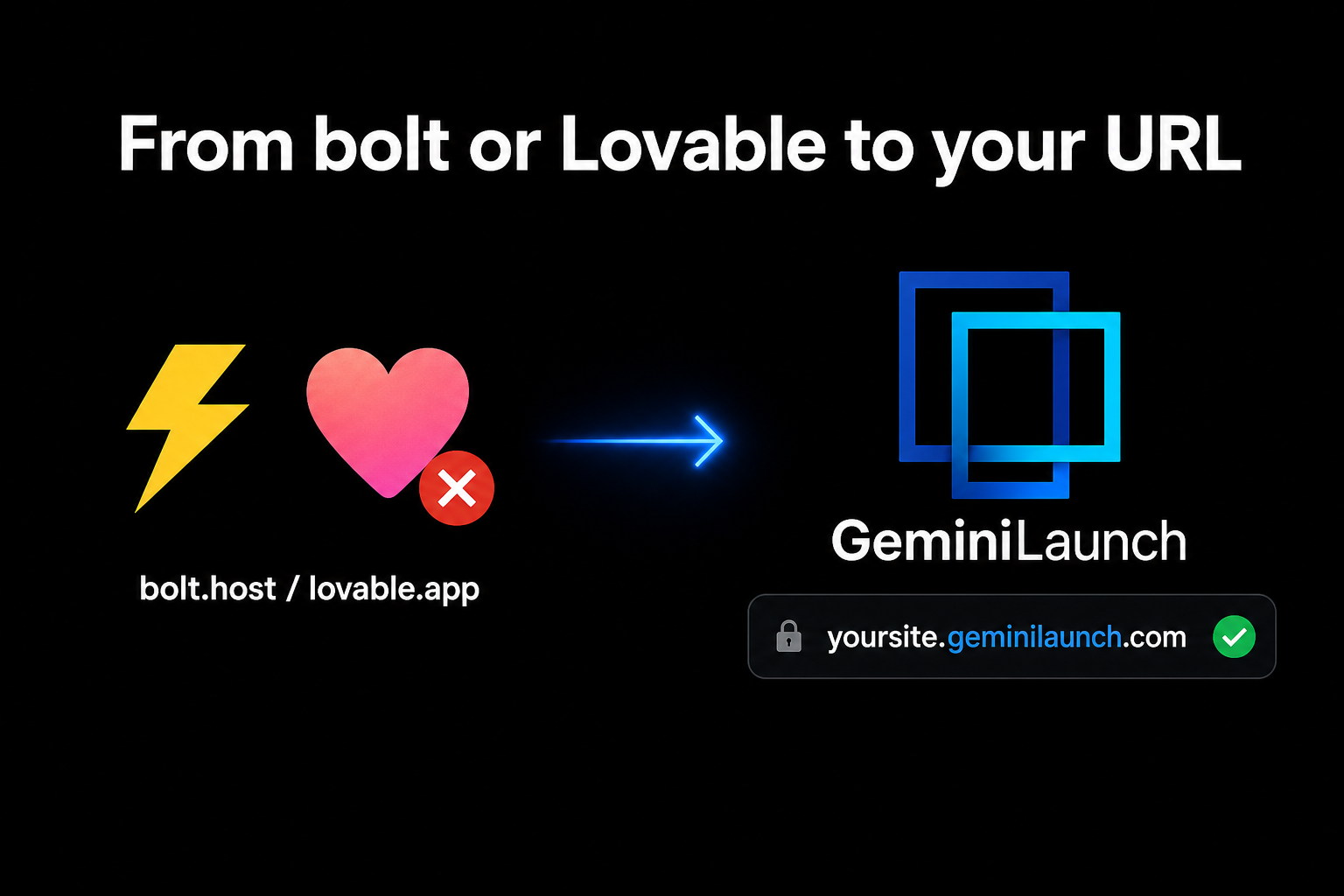
To host a bolt.new or Lovable website on your own domain: copy the React code from your bolt.new or Lovable project, paste it into GeminiLaunch, and click publish. You get a live public URL in under two minutes — no GitHub, no npm build. Platform preview links on bolt.host or lovable.app are fine for drafts, but they are not a custom domain you own. Connect yourbrand.com from GeminiLaunch Lite ($5/mo) with one DNS record.
The problem
Why a bolt.host or lovable.app link isn't enough
bolt.new and Lovable are among the fastest ways to go from a prompt to a working React app. You describe a SaaS landing page, a portfolio, or a dashboard — and minutes later you have something that looks real in the preview.
Then you share the link, and it opens on bolt.host or lovable.app. For a teammate reviewing a draft, that is perfect. For a client proposal, a Product Hunt launch, or your company homepage, it sends a different message: this site still lives inside someone else's builder.
Both tools also steer you toward GitHub and Vercel for "real" deployment. That works if you are comfortable with repos and build commands. If you are not — or you just want the design you already built live today — there is a simpler path.
Here is what platform preview hosting usually cannot give you:
A URL on your own domain without upgrading inside bolt or Lovable
A page that looks fully yours — no bolt or Lovable wrapper, and no badge at all from Lite
Publishing without creating a GitHub repo first
A workflow that does not require npm run build on your laptop
One link you can update without re-sharing a new preview URL
Platform preview URL
Your app on bolt.host or lovable.app — great for building, but it reads as a prototype and often carries platform branding on free plans.
GeminiLaunch
The same React code on your own URL, with no platform wrapper. On Lite or Pro, update anytime and swap the subdomain for a custom domain.
Key insight
bolt and Lovable already did the hard part — they wrote the React. Hosting is the last mile. Copy the code out and publish it yourself instead of treating the preview link as the finish line.
Compare
Your three options, compared
There are three common paths after you build in bolt.new or Lovable. Here is how they compare for a real, shareable website.
| Option | URL you get | Custom domain | Branding | Best for |
|---|---|---|---|---|
| Built-in hosting (bolt.host / lovable.app) | A platform subdomain | No real custom domain on free tier | Platform badge or footer on free plans | Quick demos while you are still building |
| Export to GitHub + Vercel | yourproject.vercel.app | Custom domain possible | Clean page once configured | Developers who already use Git and CI |
| GeminiLaunch | Your own live URL | Custom domain from Lite | Small corner badge on free; none from Lite | Non-developers who want paste → publish → own the URL |
Step-by-step
Host your bolt or Lovable site in 4 steps
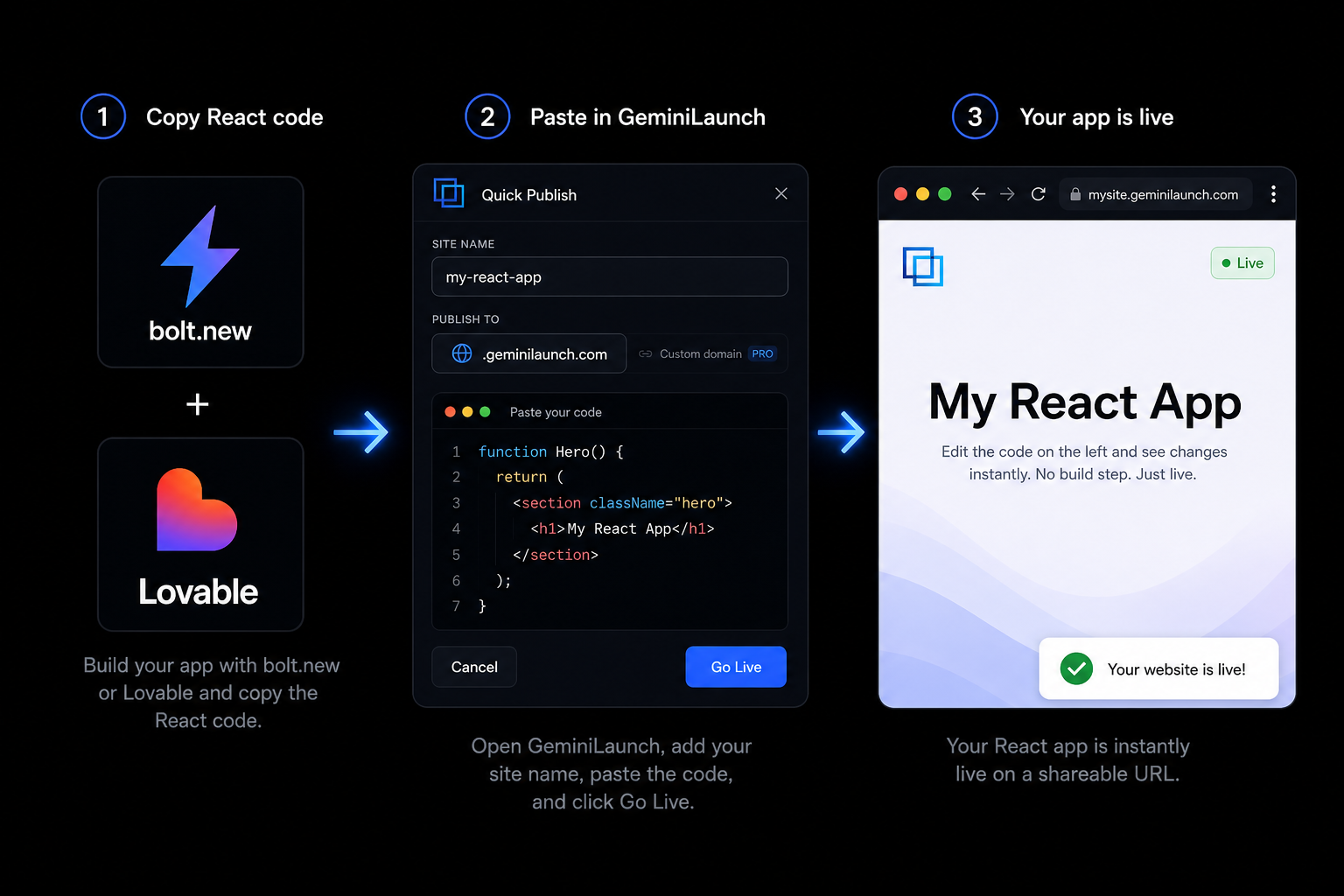
The whole process takes under two minutes once you know where the code lives. No GitHub, no terminal, no build pipeline.
Export or copy the code from bolt.new or Lovable
In bolt.new, open the code panel and copy the main page component — usually App.tsx or the file bolt generated for your landing page. If the project has many files, ask bolt in chat: "Give me the entire site as one React component with all styles inline." In Lovable, switch to the code view (or Dev mode) and copy the main page file the same way. You do not need the whole repo — just the code that renders your homepage.
Tip: One self-contained component copies cleanly. Multi-file projects with separate imports often break when you paste only part of them.
Paste the code into GeminiLaunch
Go to GeminiLaunch and create a new project. Paste the React code from bolt or Lovable into the editor. GeminiLaunch auto-detects React — no framework picker, no package.json, no npm install. It reads your component and renders it the same way the preview looked inside bolt or Lovable.
Tip: If bolt generated Tailwind classes, paste them as-is. GeminiLaunch runs Tailwind-style React without a local build step.
Publish and get your live URL
Click publish. Within seconds you get a public URL on a free GeminiLaunch subdomain. Share it with clients, add it to a pitch deck, or put it on a business card. The page is standalone — not wrapped in bolt's or Lovable's builder chrome, and not stuck on bolt.host or lovable.app unless you want it there.
Tip: Republishing is a paid-plan feature: from Lite, edit in bolt or Lovable, copy the updated code, paste into the same GeminiLaunch project, and click publish again — your URL stays the same. Free-plan sites stay live as first published.
Connect your own custom domain
When you are ready for yourbrand.com instead of a subdomain, upgrade to GeminiLaunch Lite ($5/mo) for 1 domain, or Pro ($15/mo) for up to 5. Add one DNS record at your registrar — GeminiLaunch shows you exactly what to copy — and your bolt- or Lovable-built site goes live on your domain. No GitHub repo, no Vercel project, no developer handoff.
Tip: Lite includes 1 custom domain; Pro supports up to 5. Most DNS changes propagate within 5 to 30 minutes.
Avoid these
Common mistakes when hosting bolt or Lovable sites
Treating the bolt.host or lovable.app link as your final website
Platform preview URLs are great for iteration, but they read as "still in the builder" to clients and investors. Free tiers often show platform branding. For anything customer-facing, publish on a URL you control.
Copying only part of a multi-file bolt project
bolt.new and Lovable often split code across components, hooks, and CSS files. Pasting just App.tsx without its imports gives you a broken page. Ask the tool for a single-file version first, or copy every file the main component depends on into one paste.
Assuming you must push to GitHub first
Both tools nudge you toward GitHub + Vercel because that is the default developer path. You only need that if you want version control and CI. For a live marketing site or MVP demo, paste-and-publish is faster.
Rebuilding the design from scratch on another host
You already paid with time in bolt or Lovable's editor. Export the code you have — do not redesign in a new tool just because hosting feels complicated.
Be fair
When bolt.host or lovable.app is actually fine
Staying on the platform URL is the right call in some cases. Use it when you want to:
Share a work-in-progress with a cofounder for fast feedback inside the builder
Test ideas before you commit to a domain or hosting setup
Keep iterating in bolt or Lovable's AI editor without touching hosting yet
The moment you need your own domain, a client-ready URL, or hosting without GitHub — export the code and publish on GeminiLaunch.
Related guide
Deploy React without Vercel (free, no GitHub)
Same paste-and-publish path for v0.dev, bolt.new, and ChatGPT React output.
Read the guideRelated guide
Best free hosting for AI-generated websites
Six platforms ranked for bolt, v0, and ChatGPT output — setup time and domains compared.
Read the guideFAQ
Frequently asked questions
Common questions about hosting bolt.new and Lovable websites on your own domain.
How do I host a bolt.new website on my own domain?
Copy the React code from your bolt.new project, paste it into GeminiLaunch, and click publish. You get a live URL in under two minutes. Upgrade to Lite ($5/mo) for 1 domain or Pro ($15/mo) for up to 5 to connect your own custom domain with one DNS record. No GitHub or Vercel account required.
Can Lovable connect a custom domain?
Lovable supports custom domains on its paid plans within the Lovable product. If you want to host outside Lovable — or avoid GitHub entirely — copy your Lovable project code into GeminiLaunch and connect your domain there from Lite.
What is the problem with bolt.host URLs?
bolt.host links work for sharing a build-in-progress, but they live on bolt's subdomain, often carry platform branding on free tiers, and signal "prototype" rather than "my company." Exporting the code and publishing on your own URL looks professional and stays under your control.
Do I need GitHub to deploy bolt.new or Lovable code?
No. GitHub + Vercel is one path, not the only path. GeminiLaunch accepts pasted React directly — no repo, no git push, no npm run build on your machine. Netlify Drop and Cloudflare Pages are Git-based alternatives if you prefer traditional hosting.
Does GeminiLaunch work with bolt.new React output?
Yes. bolt.new generates React with Tailwind CSS by default. Paste the component code into GeminiLaunch and it auto-detects the format. For best results, use a single self-contained component rather than a partial multi-file export.
Does GeminiLaunch work with Lovable projects?
Yes. Lovable builds React apps similar to bolt.new. Copy the main page component from Lovable's code view, paste into GeminiLaunch, and publish. You keep the design you built in Lovable without staying on lovable.app.
Is hosting bolt or Lovable code on GeminiLaunch free?
Yes for subdomain hosting. The free plan lets you publish up to 3 live sites on free GeminiLaunch subdomains with no commercial restriction. Lite at $5 per month adds 1 custom domain and editing after publish; Pro at $15 per month adds unlimited sites and up to 5 custom domains.
Can I update my site after publishing?
Yes. Keep iterating in bolt.new or Lovable where the AI editing is fastest. When you are happy, copy the updated code into your GeminiLaunch project and republish. Your live URL and custom domain stay the same.
How is this different from deploying to Vercel?
Vercel expects a Git repo, a build command, and usually Node.js locally. GeminiLaunch is paste-and-publish: no terminal, no package.json setup, no failed builds because AI output missed a config file. Vercel is excellent for teams with developers; GeminiLaunch is built for AI-generated code from non-developers.
What if my bolt project uses many npm packages?
GeminiLaunch works best with self-contained React components — the kind bolt and Lovable generate for landing pages and marketing sites. Heavy full-stack apps with server routes may need Git-based hosting. For typical AI-built frontends, paste-and-publish is enough.
Can I remove Lovable or bolt branding from my site?
On platform-hosted free URLs, branding often stays. When you publish the same code on GeminiLaunch, the bolt and Lovable badges are gone — the page is your design on your own URL. Free GeminiLaunch sites carry a small "Powered by GeminiLaunch" badge in the corner, and Lite ($5/mo) removes that too.
What is the fastest way to go from bolt or Lovable to a live URL?
Copy the main component code, paste into GeminiLaunch, click publish. The whole flow takes under two minutes once you know where the code panel is. Faster than creating a GitHub repo, connecting Vercel, and debugging a failed build.
Like this guide? Make GeminiLaunch a preferred source.
Get our hosting and deployment guides surfaced first in your Google results, AI Overviews, and Top Stories.
Put your bolt or Lovable build on a real URL
Skip the preview subdomain. Paste your React code into GeminiLaunch, get a live website in seconds, and connect your own domain when you are ready. Start free — no credit card needed.