Quick answer
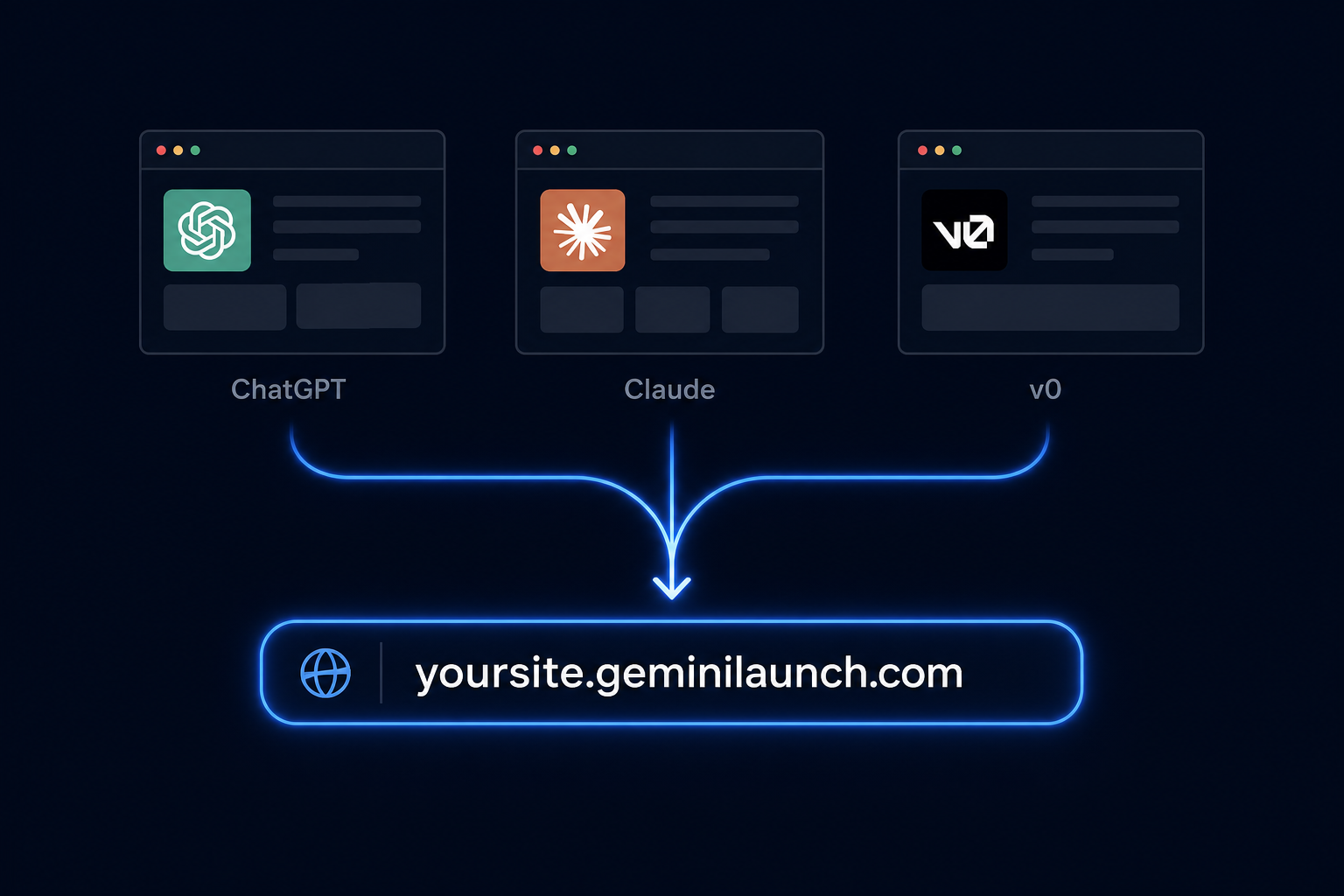
The best free hosting for most AI-generated websites in 2026 is paste-and-publish: copy code from ChatGPT, Claude, Gemini, v0.dev, or bolt.new, paste into GeminiLaunch, and click Go Live. You get a public URL in under two minutes with no GitHub, no terminal, and no credit card. Netlify Drop is the best folder-upload alternative; Cloudflare Pages and GitHub Pages are better when you already use Git. Need a custom domain? See our ChatGPT custom domain guide or the Gemini hosting walkthrough. Confused by “AI web hosting” lists that mix builders and GPUs? Start with our AI web hosting comparison (three meanings, 14 options).
Context
Why picking the right free host matters for AI-built sites
AI tools can generate a complete landing page in minutes — but a preview inside ChatGPT, a Claude artifact, or a v0.dev sandbox is not a website your clients can bookmark. You need static hosting: a public https URL that loads fast, accepts updates, and optionally connects to your own domain.
According to Gartner, enterprise AI adoption is accelerating through 2028 — and much of that starts with prototypes built in conversational AI tools, not traditional IDEs. The bottleneck is no longer writing code; it is publishing it.
What non-developers typically need from free AI website hosting:
A shareable https URL in minutes, not hours
No GitHub account, git commands, or npm install
Support for HTML and React output from AI builders
Easy republish when the AI generates an updated version
A path to a custom domain when the project goes live for real
Key insight
Free hosting is not one-size-fits-all. Git-based platforms optimize for developers with repos. Paste-and-publish platforms optimize for AI output sitting in a chat window. Match the host to how your code actually arrives — not how a tutorial assumes you work.
Ranked comparison
6 free hosts for AI-generated websites
Ranked for non-developers publishing HTML or React from AI tools. Setup times assume you already have code ready to publish.
| Rank | Platform | Setup | GitHub | AI code | Custom domain |
|---|---|---|---|---|---|
| 1 | GeminiLaunchBest for paste-and-publish AI code | Under 2 min | Not required | Built for it | Lite $5/mo (1) · Pro $15/mo (5) |
| 2 | Netlify DropBest for folder uploads | 5–10 min | Not required (Drop) | Manual export | Free tier |
| 3 | Cloudflare PagesBest bandwidth for developers | 15–25 min | Usually required | After Git setup | Free (5 per project) |
| 4 | GitHub PagesBest if you already use Git | 20–40 min | Required | After repo setup | Free |
| 5 | Vercel HobbyBest for Next.js developers | 10–20 min | Usually required | After import/build | Free |
| 6 | Firebase HostingBest for Google-ecosystem apps | 20–30 min | Optional | After Firebase CLI setup | Free |
GeminiLaunch
Top pick for AI codeAnyone with HTML or React from ChatGPT, Claude, Gemini, v0.dev, or bolt.new who wants a live URL without Git, npm, or a build step.
Commercial use on free tier: Yes on free tier
Netlify Drop
People who can save their AI project as a folder locally and drag it into the browser. You still need to build or bundle multi-file React yourself.
Commercial use on free tier: Yes
Cloudflare Pages
Developers comfortable connecting a GitHub repo or using Wrangler CLI who want unlimited bandwidth on the free tier.
Commercial use on free tier: Yes
GitHub Pages
Developers who want version control tied to hosting and do not mind commit-and-push updates.
Commercial use on free tier: Yes (public repos)
Vercel Hobby
Developers deploying framework projects from Git. Not ideal for raw AI HTML pasted from a chat window.
Commercial use on free tier: Personal projects only
Firebase Hosting
Teams already on Firebase who will install the CLI and run firebase deploy for static files.
Commercial use on free tier: Yes (Spark plan limits)
By source
Best free host by AI tool
Different AI tools output different formats. Here is the fastest free path for each.
| AI source | Fastest free host | Why |
|---|---|---|
| ChatGPT or Claude (HTML) | GeminiLaunch | Copy the HTML block, paste, Go Live — no files to save or folders to zip. |
| v0.dev or bolt.new (React) | GeminiLaunch | Paste exported React without running npm install or connecting Vercel. |
| Google Gemini Canvas | GeminiLaunch | Canvas share links are previews inside Gemini — not your own URL. Export code and paste to publish. Full Canvas guide |
| Multi-page static site (developer) | Cloudflare Pages or GitHub Pages | Git-based deploys scale better when you have many files and a build pipeline. |
Step-by-step
Fastest free path: AI code to live URL in 3 steps
This workflow works for HTML from ChatGPT or Claude and React from v0.dev or bolt.new.
Copy your AI-generated code
From ChatGPT, Claude, Gemini, v0.dev, or bolt.new — grab the full HTML or React output. If styles are in separate files, ask the AI for one self-contained file first. Incomplete copies are the #1 reason live pages look broken.
Tip: Single-file HTML is fastest. GeminiLaunch auto-detects HTML and React — no framework picker.
Paste into GeminiLaunch and name your site
Open GeminiLaunch, create a project, and paste your code. The site name becomes part of your free GeminiLaunch subdomain. Preview matches what goes live — nothing gets redesigned.
Tip: You can paste directly from any AI tool. No zip, no repo, no terminal.
Click Go Live and share your URL
Publish to your free GeminiLaunch subdomain in seconds. Anyone with the link can view it — no account required on their end. From Lite you can republish anytime and the URL stays the same.
Tip: Need a client-ready domain? Lite ($5/mo) connects 1, Pro ($15/mo) up to 5.
Avoid these
Common mistakes when choosing free AI hosting
Choosing Git-based hosting for a one-off AI landing page
GitHub Pages, Vercel, and Cloudflare Pages shine when you live in Git. For a single page from an AI chat, creating a repo and running deploys adds 20–40 minutes of friction you do not need.
Assuming every free tier allows commercial use
Vercel Hobby restricts commercial projects. Always read the terms before putting client work on a free plan. GeminiLaunch free subdomains allow commercial use.
Publishing without testing on mobile
AI-generated layouts often look fine on desktop preview but break on small screens. Open your live URL on a phone before sharing with clients.
Staying on a preview link instead of a real URL
ChatGPT previews, Claude artifacts, Gemini Canvas share links, and v0.dev previews are not permanent hosted sites. You still need static hosting for a link you own and can update.
Related guide
Host HTML without GitHub (free)
Deep dive on the no-Git workflow for single HTML files from AI tools.
Read the guideRelated guide
Host bolt.new or Lovable on your domain
Step-by-step from bolt.host or lovable.app preview to your own URL and custom domain.
Read the guideRelated guide
Host any HTML file online free
Paste a single HTML file and get a live HTTPS URL — no account or build tools needed.
Read the guideFAQ
Frequently asked questions
Common questions about free hosting for AI-generated websites.
What is the best free hosting for AI-generated websites in 2026?
For most non-developers, GeminiLaunch is the fastest free option: paste HTML or React from any AI tool and get a live URL in under two minutes with no GitHub. Netlify Drop is a solid alternative if you prefer uploading a folder. Developers who already use Git often pick Cloudflare Pages or GitHub Pages for unlimited bandwidth and version control.
Can I host a ChatGPT-generated website for free?
Yes. Copy the HTML from ChatGPT, paste it into GeminiLaunch, and publish to a free GeminiLaunch subdomain. No credit card required on the free plan. Custom domains start at Lite ($5/mo).
Is there free hosting for v0.dev or bolt.new projects?
Yes. Export your React code from v0.dev or bolt.new and paste it into GeminiLaunch — no Vercel account or npm build required on your machine. For Git-based workflows, Vercel and Cloudflare Pages also offer free tiers but require more setup.
Do I need GitHub to host an AI-generated website?
No. GitHub is optional. Paste-and-publish platforms like GeminiLaunch and Netlify Drop skip Git entirely. GitHub Pages, Vercel, and Cloudflare Pages typically expect a repository connection.
Which free host supports custom domains for AI sites?
Custom domains start on GeminiLaunch Lite ($5/mo, 1 domain; Pro $15/mo up to 5), and Netlify, Cloudflare Pages, GitHub Pages, Vercel, and Firebase Hosting all support custom domains on their free or entry tiers — setup steps vary. GeminiLaunch shows the exact DNS record to copy.
Can I use free hosting for client or commercial projects?
Depends on the platform. GeminiLaunch and Netlify allow commercial use on free tiers. Vercel Hobby is limited to personal non-commercial projects. Check each provider's terms before going live with paid client work.
How is GeminiLaunch different from Netlify for AI code?
Netlify Drop uploads a folder from your computer. GeminiLaunch lets you paste code directly from a chat window — better when the HTML never left the AI tool. Both skip GitHub; GeminiLaunch is optimized for AI-generated HTML and React with one-click republish.
What about Cloudflare Pages vs GeminiLaunch?
Cloudflare Pages offers excellent free bandwidth and is ideal for developers with a GitHub repo. GeminiLaunch is built for non-developers pasting AI output — under two minutes, no CLI, no repo. Many teams use both: GeminiLaunch for prototypes, Cloudflare for production Git workflows.
Does free AI website hosting include HTTPS?
Yes. All major options in this comparison — GeminiLaunch, Netlify, Cloudflare Pages, GitHub Pages, Vercel, and Firebase — provide HTTPS on published URLs and custom domains.
Can I update my AI-generated site after publishing?
Yes. Paste updated code and republish. Your subdomain or custom domain URL stays the same; visitors see the new version within seconds.
Is React from AI tools supported on free hosting?
Yes on GeminiLaunch — paste React and publish without running npm locally. Git-based hosts require you to build the project (npm run build) before deploy unless you use their integrated CI.
How long does free AI website hosting take to set up?
Under two minutes with paste-and-publish (GeminiLaunch). Folder upload (Netlify Drop) takes 5–10 minutes. Git-connected hosts typically take 15–40 minutes for first deploy.
Can I host a Gemini Canvas website for free?
Yes. Export the code from Gemini Canvas, paste it into GeminiLaunch, and publish. Canvas share links are previews — not permanent hosted URLs. See our Gemini website hosting guide for the full workflow.
What if I just have a single HTML file to host?
Paste it into GeminiLaunch and click Go Live. No folder structure or build step required. We cover this in detail in our guide to hosting an HTML file online free.
Can I connect my own domain to a free AI website?
Custom domains start on GeminiLaunch Lite ($5/mo for 1 domain; Pro $15/mo for up to 5), and are also available on Netlify, Cloudflare Pages, and GitHub Pages. GeminiLaunch shows the exact DNS record to copy at your registrar. See our ChatGPT custom domain guide for step-by-step instructions.
Like this guide? Make GeminiLaunch a preferred source.
Get our hosting and deployment guides surfaced first in your Google results, AI Overviews, and Top Stories.
Paste your AI code. Pick a free URL. Go live.
Copy HTML or React from any AI tool, paste into GeminiLaunch, and publish in under two minutes. Free subdomain included — custom domain from Lite when you are ready.