Quick answer
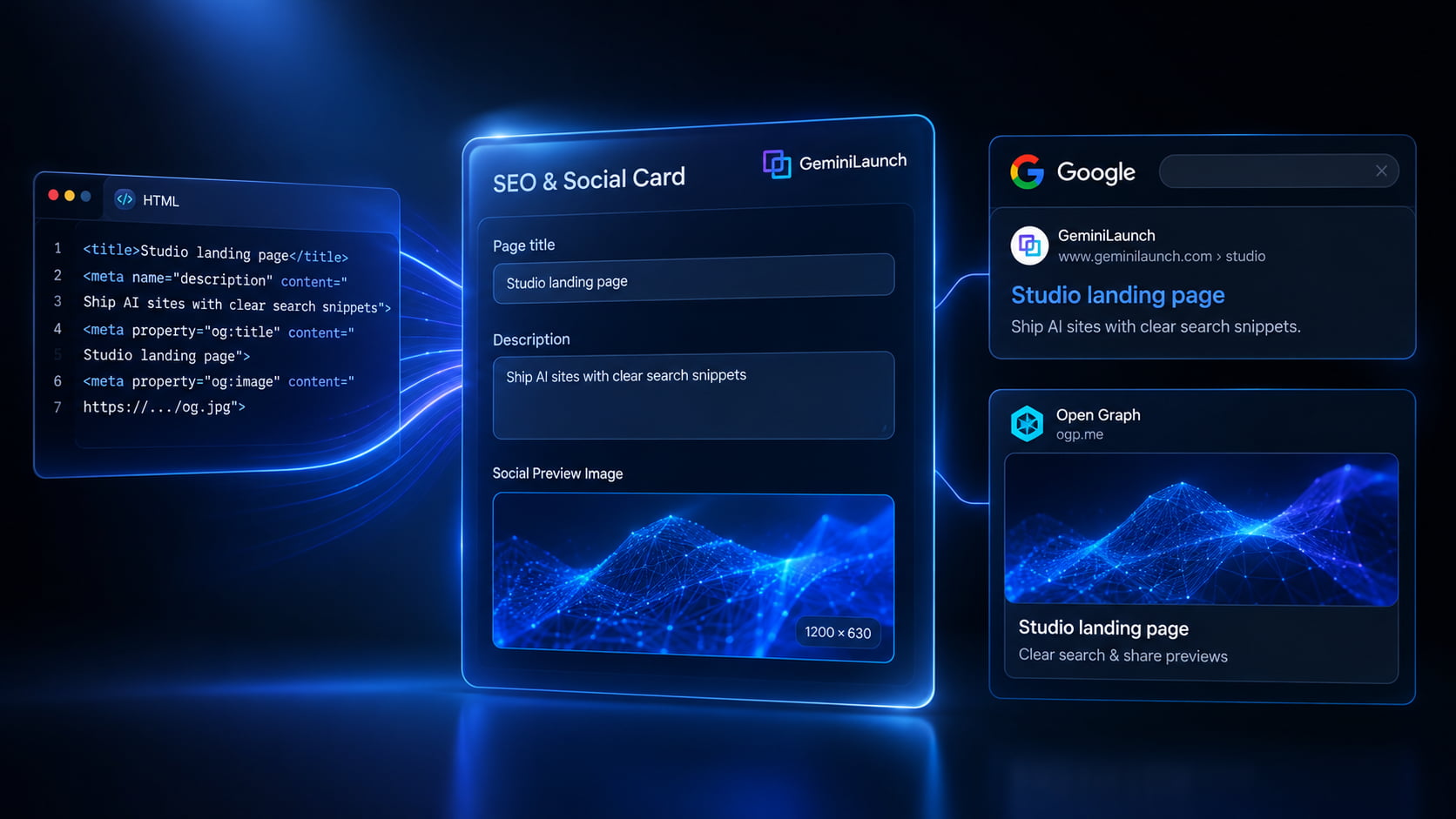
Paste your AI site into GeminiLaunch, open SEO & Social Card, set Page Title, Description, Social Preview Image (≈1200×630), and Favicon, then publish. That injects title, meta description, Open Graph, and Twitter tags — no manual <head> editing for paste/code projects.
The gap
Why AI-generated sites look unfinished in Google and Slack
Most AI tools optimize for what you see in the preview pane. They rarely finish the invisible layer: page title, meta description, Open Graph image, and favicon. Without those, Google guesses a title link, social apps show a bare URL, and your launch looks amateur even when the design is strong.
Google documents that title links and snippets are automated — your <title> and meta description influence them but do not lock them. Open Graph mainly powers link previews. Both still matter for click-through when a human (or a chat app) decides whether to open your URL.
Key insight
Keep title, H1, and og:title on the same topic. Conflicting signals force Google and AI systems to guess — and guesses rarely match your brand pitch.
Sources: Google title links, meta descriptions / snippets, Open Graph protocol.
Fields
What each SEO & social field actually controls
Page title
Controls: Browser tab + search title signal + og:title / twitter:title
Length: Aim ~50–60 characters; lead with the benefit
Unique per page. Avoid stuffing brand at the end unless it helps recognition.
Meta description
Controls: Search snippet candidate + og:description / twitter:description
Length: About 1–2 clear sentences (~120–160 characters often works)
Pitch the page — what visitors get — not a keyword list. Google may rewrite snippets.
Social preview image (OG)
Controls: og:image + twitter:image for Slack, LinkedIn, iMessage, X, Discord
Length: 1200×630 recommended; absolute HTTPS URL
One strong visual beats a random logo crop. Keep file size reasonable.
Favicon
Controls: Browser tab icon and bookmarks
Length: 32×32 .png or .ico (SVG also fine when supported)
Use a simple mark that reads at tiny sizes.
Step-by-step
Set title, meta, and Open Graph on GeminiLaunch
Most people finish this in under five minutes once the site is live on a free subdomain — then connect a custom URL when you are ready.
Publish (or open) your AI site on GeminiLaunch
Paste HTML or React from ChatGPT, Claude, Gemini, or similar into a GeminiLaunch project and go live — or open an existing paste/code project. You need a real public URL before search and social previews matter.
Tip: The SEO & Social Card panel is available on paste/code projects. ZIP/folder sites should include title and meta tags inside index.html before you upload.
Open SEO & Social Card
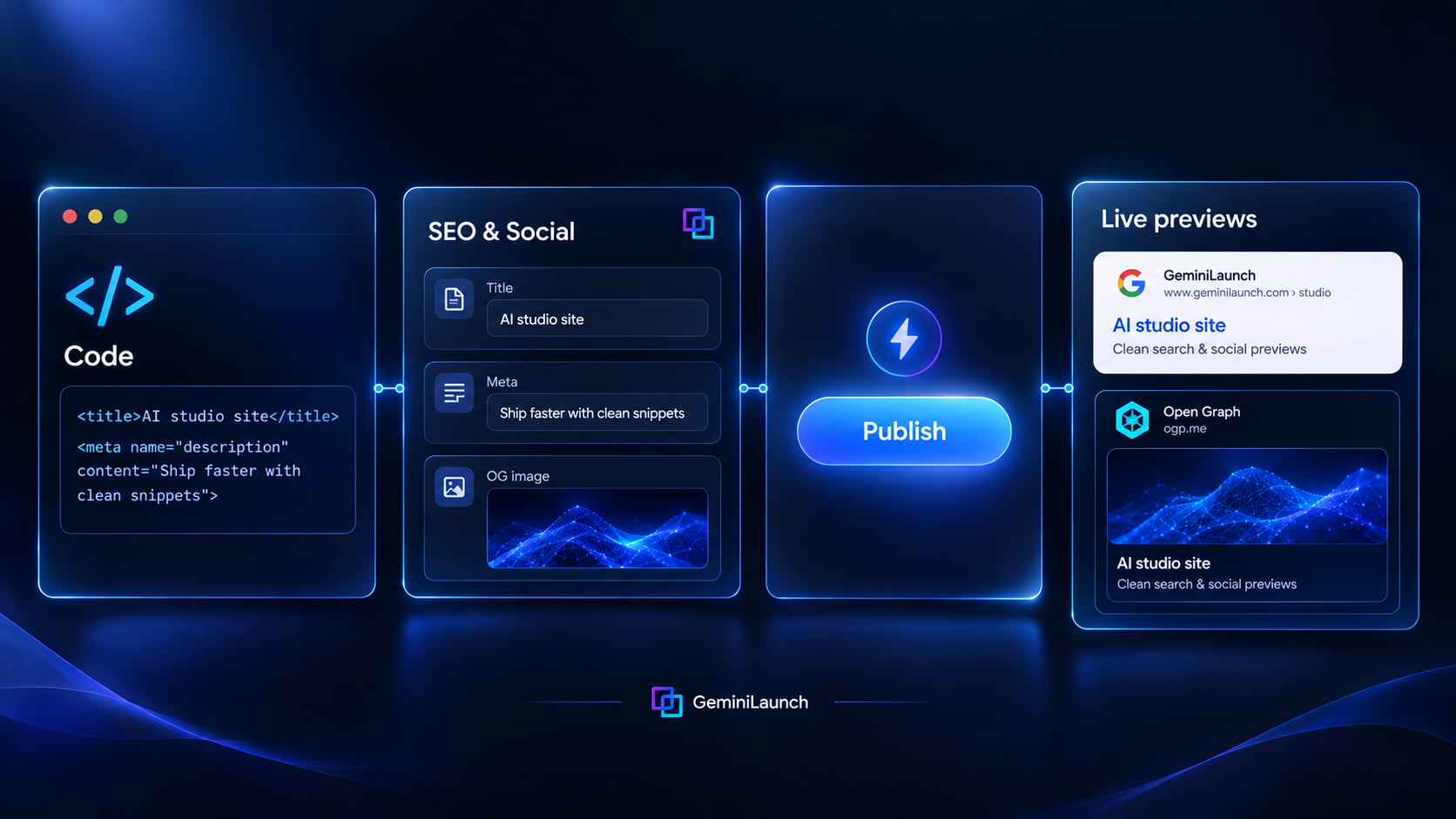
In the publish workspace, expand SEO & Social Card. Fill Page Title, Description, Social Preview Image (upload or paste a URL), and Favicon.
Tip: Write the title people would click in Google. Write the description as a short pitch — not a repeat of the title.
Publish or redeploy so tags go live
GeminiLaunch injects title, meta description, Open Graph, Twitter card tags, and favicon into your published HTML. After you save and publish, scrapers and crawlers can read the new head tags.
Tip: If a social app still shows an old card, refresh its cache (LinkedIn Post Inspector, Facebook Sharing Debugger, etc.).
Sanity-check search and share previews
Open the live URL, view page source, and confirm title / description / og:image. Share the link in Slack or iMessage once. Then submit the URL in Google Search Console when you are ready to index.
Tip: Align your visible H1 with the page title so Google and AI systems see one clear topic.
Cheat sheet
Do this / skip that
| Field | Do | Don't |
|---|---|---|
| Title | Clear, specific, front-load the topic | Keyword soup or misleading clickbait |
| Description | Unique summary that matches the page | Same blurb on every page of a multi-site portfolio |
| OG image | Wide 1200×630, readable at thumbnail size | Tiny logos or screenshots full of unreadably small UI |
Example title: “Bookkeeping for freelancers — simple invoices”
Example description: “Create and send invoices in minutes. Built for solo freelancers who hate spreadsheets.”
Prompt tip for ChatGPT/Claude: “Add a unique <title> under 60 characters and a meta description under 155 characters for this page. Do not keyword-stuff.”
Avoid these
Common mistakes
Leaving the default untitled / empty head
AI chat often outputs a pretty body and a blank or generic <title>. Search and social then guess — usually badly. Set title and description before you share the link widely.
Keyword stuffing the title
Google’s title-link guidance favors clear, accurate titles. Stuffing “AI SEO meta Open Graph free host” into one line looks spammy and often gets rewritten.
Assuming Open Graph ranks you in AI Overviews
OG controls link unfurls and previews. AI citation leans more on crawlability, clear answers, and classic ranking. Still set OG — people click shared links — but pair it with real content.
Uploading ZIP and expecting the paste SEO panel
On GeminiLaunch, SEO & Social Card is for paste/code sites. For ZIP/folder uploads, put <title>, meta description, and og:* tags in your HTML (or paste the homepage as code if you want the panel).
Frequently asked questions
Do AI-generated websites need a meta description?
Yes if you care how the page appears in Google and social apps. ChatGPT, Claude, and Gemini often omit a good description. Add one so snippets and previews are intentional — Google may still rewrite snippets when page content fits better.
What is Open Graph on an AI website?
Open Graph (og:title, og:description, og:image, og:url) tells Slack, LinkedIn, Facebook, iMessage, and many chat apps how to preview your link. GeminiLaunch can inject these when you fill SEO & Social Card on a paste/code project.
How long should an SEO title be for an AI landing page?
Aim for about 50–60 characters and lead with the main benefit or topic. Google builds title links from several sources (including your title and headings) and may rewrite them — clarity beats stuffing.
What size should an Open Graph image be?
1200×630 pixels is the common recommendation for wide preview cards. Use a clear HTTPS image URL. GeminiLaunch’s Social Preview Image field accepts upload or a pasted URL.
Can I set SEO tags without editing HTML head tags?
Yes on GeminiLaunch paste/code projects: use SEO & Social Card (page title, description, social image, favicon). The platform injects the tags into published HTML. For ZIP sites, edit the HTML (or use paste mode).
Does a meta description guarantee my Google snippet?
No. Google primarily uses page content and may use your meta description when it describes the page well. Write accurate, unique descriptions anyway — they improve the odds of a good snippet and help other systems.
Do Open Graph tags help ChatGPT or AI Overviews cite my site?
OG is mainly for link previews. Being cited in AI answers depends more on clear content, structure, crawl access, and classic search visibility. Keep title, description, and on-page answers aligned so every system sees the same topic.
Should title, H1, and og:title match?
They should describe the same page. Exact string match is not required, but conflicting messages confuse users and machines. Keep one primary topic across title, H1, and social headline.
Ready for a professional search and share preview?
Publish your AI page free, fill SEO & Social Card, then connect your domain when the snippet looks right.
Like this guide? Make GeminiLaunch a preferred source.
Get our hosting and deployment guides surfaced first in your Google results, AI Overviews, and Top Stories.