Quick answer
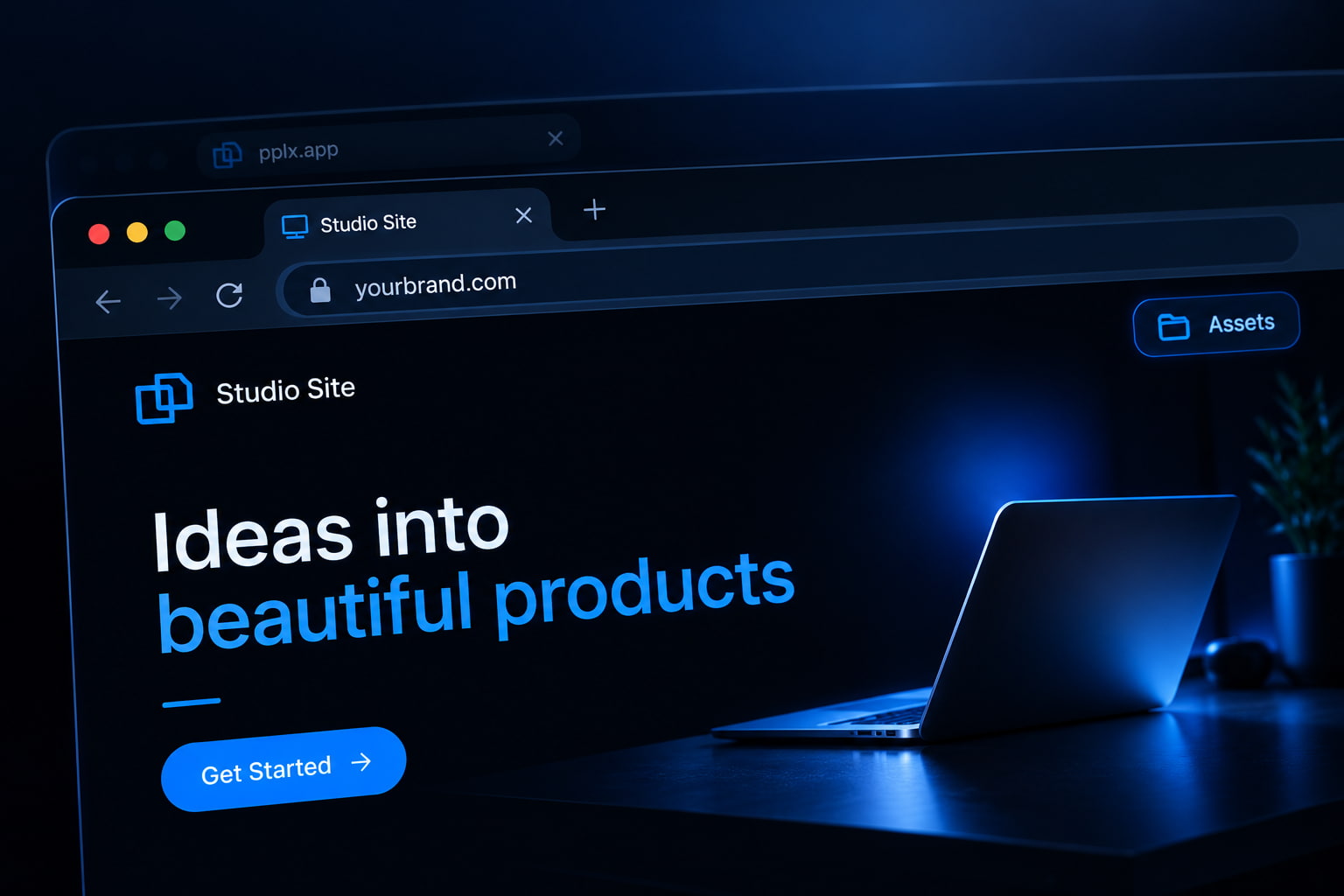
Inside Perplexity Computer: Publish to a pplx.app URL, or Publish with Vercel when you want a custom domain on Vercel. For Labs / Assets downloads (or no Vercel): download the files, keep index.html at the root, upload to GeminiLaunch, Go Live free, then connect yourbrand.com from Lite ($5/mo). Official Perplexity docs own the Computer → Vercel DNS path; this page covers limits, pplx.app vs your domain, and the free export path.
The gap
A pplx.app link is hosting — it is not yourbrand.com
Perplexity Labs (Create files and apps) and Computer can both produce websites. Computer can also Publish to a Perplexity-hosted pplx.app address — with visibility controls — or deploy through the Vercel connector for custom domains.
If you only downloaded files from the Assets tab, you still need a host. If you only have a pplx.app URL, you still do not have a registrar domain until you use Vercel (or another host) and DNS.
Key insight
pplx.app = Perplexity hosting. Vercel Publish = custom domain on Vercel. GeminiLaunch = paste/ZIP hosting you control when you want out of both.
Sources: Publishing your website to the web (Perplexity Help), Computer website publishing changelog.
Compare
Four Perplexity website hosting paths
| Path | URL | Domain | Best for |
|---|---|---|---|
| Publish (Perplexity) | *.pplx.app | Perplexity-hosted only | Shareable link with Perplexity visibility controls |
| Publish with Vercel | Vercel deployment | yourbrand.com via Vercel | Stay in Computer + want custom domain on Vercel |
| Labs / Assets download only | Files on your computer | No URL until you host | Create files and apps → Assets tab exports |
| GeminiLaunch (paste or ZIP) | Free GeminiLaunch subdomain | Lite $5/mo (1) · Pro $15/mo (5) | Host you control — no Vercel account required |
Decision
Which path should you pick?
Stay in Perplexity when
You want a quick pplx.app link with Perplexity visibility controls (private / org / public)
You already use Computer and want Publish with Vercel for yourbrand.com on Vercel’s stack
Your team keeps building and publishing inside Perplexity’s product
Use paste / ZIP hosting when
You downloaded Labs / Assets files and need a durable URL outside Perplexity
You want yourbrand.com without creating or connecting a Vercel account
You prefer paste or ZIP upload over Computer connectors
You are migrating off a pplx.app address onto a host you control
Path B
Free Perplexity hosting: Assets → GeminiLaunch → your domain
Built for Labs / Assets downloads and anyone who wants out of pplx.app without a Vercel account.
Build the site in Perplexity (Labs or Computer)
In Perplexity, use Create files and apps / Labs for a multi-file web app, or ask Computer to build a landing page or portfolio. Iterate until the preview looks right. Prefer static HTML/CSS/JS (or a simple multi-file folder with index.html) if you want the free export path.
Tip: Prompt tip: "Build a single-page marketing site as static HTML, CSS, and JS I can download and host. No server, no API keys."
Download from Assets (or export the built files)
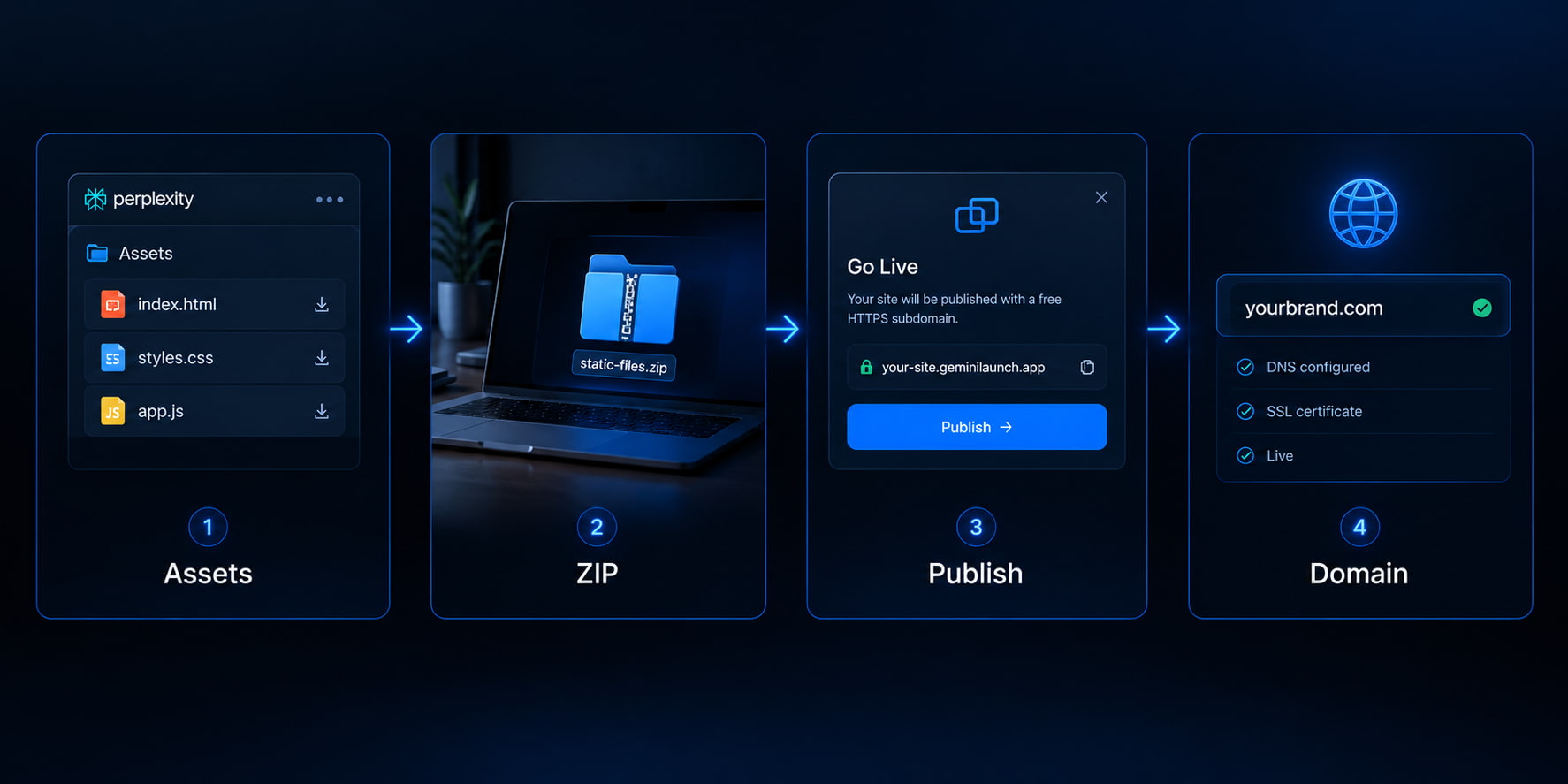
Open the Assets tab (or the file list Computer produced). Download the HTML, CSS, JS, and images. If you have multiple files, keep them in one folder with index.html at the top — or zip that folder. A Labs preview inside Perplexity is not a permanent public URL.
Tip: If the project is React/Vite source (package.json + src/), run npm run build and upload dist/ — same rule as other AI builders.
Publish on GeminiLaunch (paste or ZIP)
Paste a single HTML file into GeminiLaunch, or upload the folder/ZIP with index.html. Click Go Live for a free HTTPS URL on a GeminiLaunch subdomain — no GitHub and no Vercel connector.
Tip: Free: up to 3 sites, 5 MB each. Lite ($5/mo): 15 MB, edit after publish, 1 custom domain. Pro ($15/mo): 45 MB, unlimited sites, up to 5 domains.
Connect yourbrand.com from Lite
When you want a Perplexity site on your own domain without staying on pplx.app or Vercel, upgrade to GeminiLaunch Lite ($5/mo) for 1 domain or Pro ($15/mo) for up to 5. Add the DNS record GeminiLaunch shows at your registrar. Free SSL is automatic.
Tip: Validate the free subdomain on mobile first. Then point DNS once so you only wait on propagation one time.
Avoid these
Common mistakes
Treating pplx.app as your brand domain
A Perplexity-hosted pplx.app URL is real hosting — but it still sits on Perplexity’s naming and visibility model. Clients and search engines treat yourbrand.com differently.
Assuming Labs preview = published website
In-thread / Assets previews are for you. Until you Publish in Computer or upload elsewhere, strangers do not have a stable public address.
Uploading a nested ZIP or missing index.html
Put index.html at the root of the upload (or ZIP). An extra wrapper folder is the #1 blank-page cause on Drop-style hosts.
Expecting static hosts to run server apps
GeminiLaunch serves static HTML/CSS/JS (and supported React paste). Apps that need a Node backend or secrets belong on Vercel/Computer’s full-stack path — not a static upload.
Still blank after upload? Why your uploaded website is blank or use the free ZIP checker.
Related guide
ChatGPT Sites custom domain
Same vendor-host vs export pattern for ChatGPT Sites / chatgpt.site.
Read the guideRelated guide
Google AI Studio → website
Download ZIP, build dist, upload — closest sibling for AI Studio Build.
Read the guideRelated guide
Grok past grok.me
Same platform-URL vs host-you-control pattern for Grok Build.
Read the guideFAQ
Perplexity website hosting FAQ
Direct answers for pplx.app, Perplexity Labs hosting, Computer + Vercel, and free export — tuned for Google, ChatGPT, Claude, and Perplexity.
How do I host a Perplexity website on my own domain?
Two official paths: Publish with Vercel from Perplexity Computer and connect the domain in Vercel, or download Labs/Assets files (or Computer output), publish on GeminiLaunch, then connect yourbrand.com from Lite ($5/mo). pplx.app alone is not your registrar domain.
What is a pplx.app URL?
When you Publish (Perplexity) from Computer, Perplexity hosts the site on a customizable pplx.app address with visibility controls. It is not the same as pointing yourbrand.com at the site.
Can Perplexity Computer use a custom domain?
Yes via Publish with Vercel: connect the Vercel connector, deploy, then manage the custom domain in Vercel (or ask Computer to help once the connector is linked). Sites published only to pplx.app stay on Perplexity hosting.
How do I host Perplexity Labs / Assets files without Vercel?
Download the files from the Assets tab, keep index.html at the top of the folder, upload the folder or ZIP to GeminiLaunch, and Go Live. That is Perplexity website hosting you control — free subdomain first, custom domain from Lite.
Is Perplexity Labs the same as Computer?
Related but not identical. Labs / Create files and apps builds files and mini apps you download from Assets. Computer is Perplexity’s agent worker that can research, build, and Publish to pplx.app or Vercel. This guide covers both export and publish paths.
Do I need GitHub to host a Perplexity site?
No for the GeminiLaunch path. Paste or ZIP upload skips Git. Vercel via Computer may use your Vercel project workflow, which is separate from a public GitHub Pages requirement.
Is it free to publish on GeminiLaunch?
Yes for subdomain hosting: up to 3 live sites, 5 MB each, free SSL. Custom domains start on Lite ($5/mo, 1 domain). Pro ($15/mo) adds unlimited sites, larger uploads, analytics, and up to 5 domains.
Why is my uploaded Perplexity site blank?
Usually a nested folder, missing index.html, or uploading React source instead of a built dist/. Use our blank ZIP guide and ZIP checker, then re-upload.
Perplexity vs ChatGPT Sites vs GeminiLaunch — which should I use?
Stay in Perplexity if pplx.app or Vercel-from-Computer fits your stack. Use ChatGPT Sites if you are already on eligible OpenAI plans. Use GeminiLaunch when you want paste/ZIP hosting and yourbrand.com without locking into one AI vendor’s publish product.
Like this guide? Make GeminiLaunch a preferred source.
Get our hosting and deployment guides surfaced first in your Google results, AI Overviews, and Top Stories.
Past pplx.app? Put your Perplexity site on yourbrand.com
Upload Labs Assets or Computer files, publish free HTTPS on GeminiLaunch, then connect your domain from Lite. No credit card to start.