Start here
Choose your path
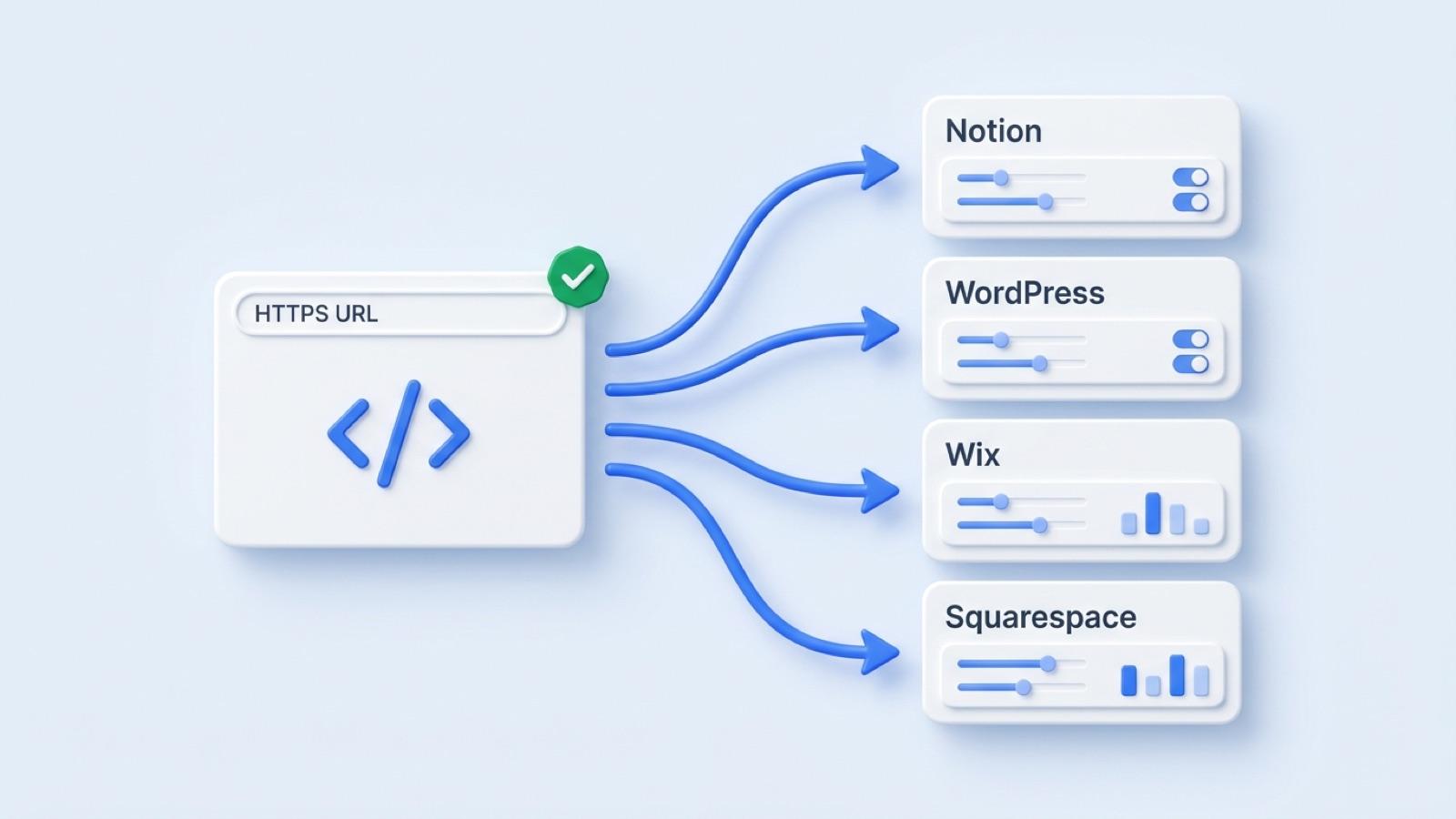
Host the AI HTML as a standalone HTTPS URL first, then embed the URL—never fight raw HTML sanitization. Notion only embeds live HTTPS URLs (not raw HTML files), WordPress Gutenberg strips <script> tags and leaks theme CSS into pasted code, and Wix inline HTML boxes are awkward to update across pages. Publish your AI-generated HTML or React widget free on GeminiLaunch once, then drop that single HTTPS link into Notion (/embed), WordPress (responsive <iframe>), or Wix (Embed a Site). Updating the widget later updates every embed automatically.
Host on GeminiLaunch → Embed URL / iframe
Best for mostSingle source of truth; scripts & Tailwind stay isolated from host page CSS
2 minutes · works on Notion, WordPress & Wix · Lite ($5/mo) · brand embed URL
Notion raw HTML paste
Notion Code blocks only display source code—they never execute HTML or JS
Not supported · N/A
WordPress Custom HTML block (raw paste)
Theme CSS overrides Tailwind/styles; WordPress.com free/personal plans strip <script>
Fast for tiny snippets · Uses your WP domain
Wix Embed HTML Code box
Hard to maintain across multiple pages; clunky React/JSX support
5 minutes per page · Uses your Wix domain
Embedding specifically into Google Sites? See our dedicated Google Sites guide covering 1-click Export, Embed code, and Embed by URL: Publish a Gemini Canvas app to Google Sites
Step-by-step
5 steps to a live HTTPS site
Make your AI widget clean and self-contained for embedding
Remove heavy site headers/footers if you only want the widget itself, use a transparent or matching background color, and make sure the layout adapts smoothly down to 320px wide.
Test your widget width in GeminiLaunch's free HTML Previewer before publishing so there is no sideways scroll bar inside Notion or mobile WordPress.
Publish the widget to a free HTTPS URL on GeminiLaunch
Paste your HTML or React (.jsx) code into GeminiLaunch and click Publish. You immediately get a dedicated HTTPS URL (free up to 3 sites, 5 MB each) with clean iframe support.
Want your own domain inside the iframe src and zero badge? Lite ($5/mo) adds custom domains and removes the badge.
Embed in Notion with /embed
Type /embed on any Notion page, paste your published HTTPS URL, click Embed link, and drag the bottom/side handles to size your interactive widget cleanly.
Set the widget's body background to match Notion's light (#FFFFFF) or dark (#191919) canvas for a native look.
Embed in WordPress with a responsive iframe
Add a Custom HTML block in WordPress and insert <iframe src="https://your-site.geminilaunch.com" title="Interactive tool" style="width:100%;min-height:640px;border:0;border-radius:12px;" loading="lazy"></iframe>.
Because the widget runs inside an isolated iframe, your WordPress theme's CSS can never break your Tailwind buttons or fonts.
Embed in Wix with Embed a Site
In the Wix Editor, click Add Elements (+) → Embed Code → Embed a Site, click Enter Website Address, paste your HTTPS URL, and stretch the container box to fit desktop and mobile views.
Whenever you edit and republish your widget on GeminiLaunch, Notion, WordPress, and Wix show the new version automatically.
Copy-paste
Cleanup prompts before export
Use these prompts in Gemini, Claude, or ChatGPT to optimize an interactive widget specifically for embedding.
Strip extra chrome so an AI tool embeds like a native widget
Refactor this index.html as a compact embeddable widget for Notion, WordPress, and Wix. Remove the top navigation bar and page footer, keep outer padding to 16px, match a crisp white background, ensure zero horizontal overflow down to 320px width, and keep all CSS and JS self-contained.
Make links inside an embedded widget open cleanly in a new tab
Update every external <a> link in this HTML widget to include target="_blank" rel="noopener noreferrer" so clicking links inside an embedded iframe never gets blocked by X-Frame-Options.
Avoid these
Common deployment mistakes
Trying to paste raw HTML into Notion
Notion intentionally blocks executing raw HTML/JavaScript inside pages. You must host the page at a real HTTPS URL first and embed that URL via /embed.
Forgetting target="_blank" on outbound links inside an iframe
External sites like Stripe, Calendly, or YouTube refuse to load inside an iframe. Setting target="_blank" ensures clicks open cleanly in a new browser tab.
Using fixed pixel widths like width: 900px inside the widget
Notion columns and mobile WordPress posts are often 340px–680px wide. Use width: 100% and responsive CSS so your embed never creates double scrollbars.
Related guide
Publish a Gemini Canvas app to Google Sites
Exact Google Sites 1-click export, embed code, and embed-by-URL comparison.
Read moreRelated guide
Free live HTML previewer
Verify 320px–1280px responsive widget sizing before embedding.
Read moreRelated guide
Publish a Claude Artifact React component (.jsx/.tsx)
Compile React/Tailwind artifacts into a standalone embeddable HTTPS URL.
Read moreFAQ
Frequently asked questions
Can I embed a Claude React Artifact or Gemini Canvas app inside Notion?
Yes. Publish the HTML or React (.jsx) code to a live HTTPS URL on GeminiLaunch first, then type /embed in Notion and paste that URL.
Why does WordPress strip my AI-generated JavaScript when I paste HTML?
WordPress sanitizes <script> tags for security on WordPress.com lower plans and non-administrator roles, and themes often clash with pasted styles. Hosting the tool separately and embedding an HTTPS iframe avoids both issues.
Do Wix embeds require HTTPS?
Yes. Wix blocks insecure HTTP URLs inside Embed a Site boxes. Every GeminiLaunch subdomain and custom domain serves automatic HTTPS/SSL.
Will updating my hosted HTML automatically update my Notion, WordPress, and Wix embeds?
Yes. Because all three platforms point to the same live HTTPS URL, editing and republishing on GeminiLaunch updates every embed simultaneously.
Can I remove the hosted badge inside embedded widgets?
Yes. Free accounts include up to 3 sites (5 MB each), and upgrading to Lite ($5/mo) removes the badge and lets you serve embeds from your own custom domain.
Does embedding an iframe slow down my WordPress or Wix page?
Adding loading="lazy" on your WordPress iframe defers loading the widget until the reader scrolls near it, keeping your main page's Largest Contentful Paint fast.
Like this guide? Make GeminiLaunch a preferred source.
Get our hosting and deployment guides surfaced first in your Google results, AI Overviews, and Top Stories.
Publish once, embed everywhere—cleanly
Turn any AI-generated calculator, quiz, or interactive app into a fast HTTPS link free on GeminiLaunch, then drop it into Notion, WordPress, or Wix in seconds.