Quick answer
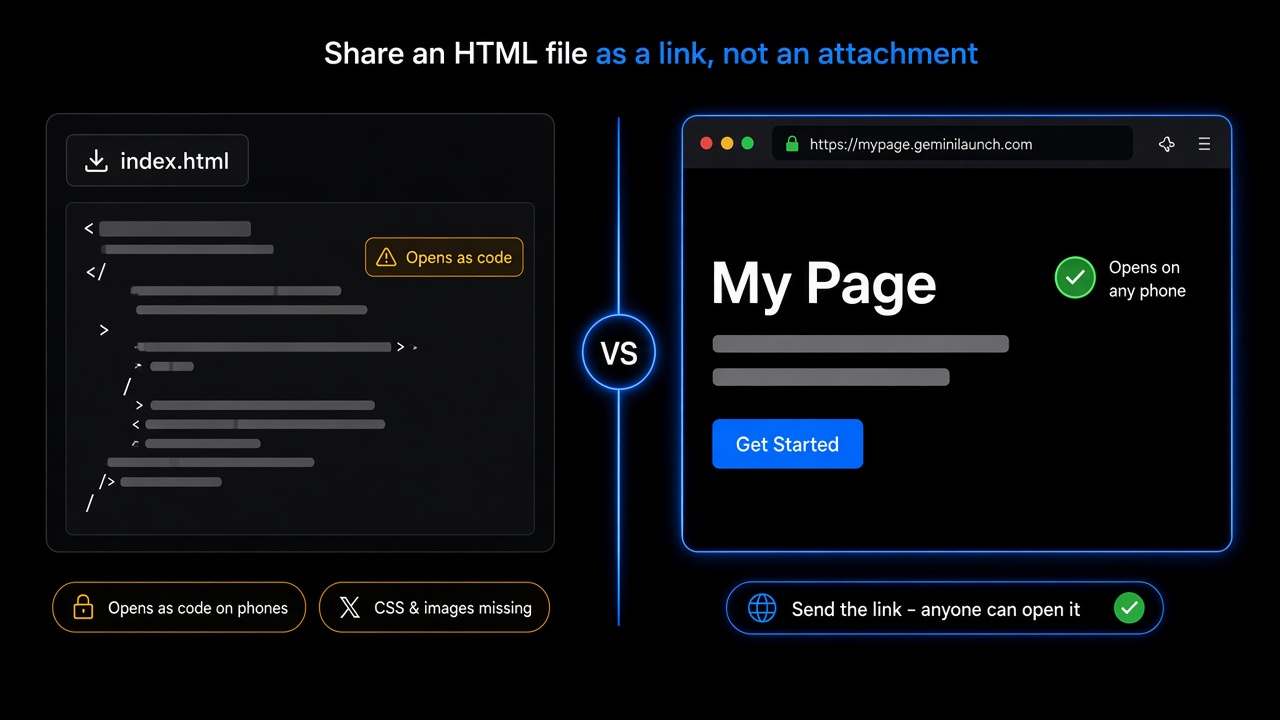
Don’t attach the .html file — send a link. Phones, chat apps, and cloud drives show HTML attachments as code, and work email may block them. Put the page on a web host instead: sign in to GeminiLaunch free, paste the HTML or drop the file, click Go Live, and send the https link. Anyone can open it — no account needed to view.
Have the file ready?
Drop it in. Copy the link. Send it anywhere.
Scope
Who this page is for (and who should leave)
Use this guide when the problem is “I have one HTML file and I need someone else to see it.”
- You sent an .html file and the other person saw code, not a page
- The page works when you double-click it, but not for anyone else
- WhatsApp, Slack, or email turned your file into a download button
- You want one link you can paste anywhere — text, email, DM, QR code
Leave this page if:
You are handing a client a full website ZIP
Client review flow: check the ZIP, then send a live preview
You want to compare free HTML hosts side by side
6 free hosts compared on limits, speed, and setup
The page only exists inside ChatGPT, Claude, or Gemini
Chat preview ≠ live link — get the code out first
The cause
Why your HTML file opens as code
An HTML file is instructions for a web browser. On your computer, the browser opens it straight from your disk, so it looks right. Most other places are not browsers — they show the instructions instead of the page.
| Where you send it | What usually happens |
|---|---|
| iPhone (Files / Mail) | Opens in a preview, not a browser. Text and inline CSS show; JavaScript does not run. |
| Android | Many file managers hand .html to a text viewer, so you see the code. |
| WhatsApp, Slack, Teams | Treated as a document. The other person gets a download, not a page. |
| Work email (Outlook / Microsoft 365) | Admins can block or quarantine .html attachments because they are a common phishing trick. |
| Google Drive, Dropbox | Shows the file as text. Drive stopped serving web pages in 2016. |
| Any device | Separate files like style.css or photo.png do not travel with one .html file. |
Source for the work-email row: Microsoft lists htm and html as attachment types admins can block in Microsoft 365 anti-malware policies.
Key insight
A link works everywhere because a web server sends the page, and every browser knows how to show it. The fix is not a better attachment — it is no attachment.
Decision
4 ways to share an HTML file
Only one of these gives the other person a working page that still works next month.
| Method | Cost | What they see | How long it lasts |
|---|---|---|---|
| Attach the .html file | Free | A download; often code on phones | Until they lose the email |
| Cloud drive share link | Free | The source code, not the page | While the file stays shared |
| Anonymous drop link | Free, no account | A live page on a random URL | Often 7–30 days |
| Publish on GeminiLaunchWins here | Free account; Lite $5/mo for your domain | A real HTTPS page anyone can open | No expiry timer on Free |
Need a full host comparison (Netlify Drop, Tiiny, Static.app and more)? See how to host an HTML file online for free.
How to
Turn an HTML file into a link (4 steps)
Works for a page you wrote, a page an AI made, or one someone sent you. No GitHub. No terminal.
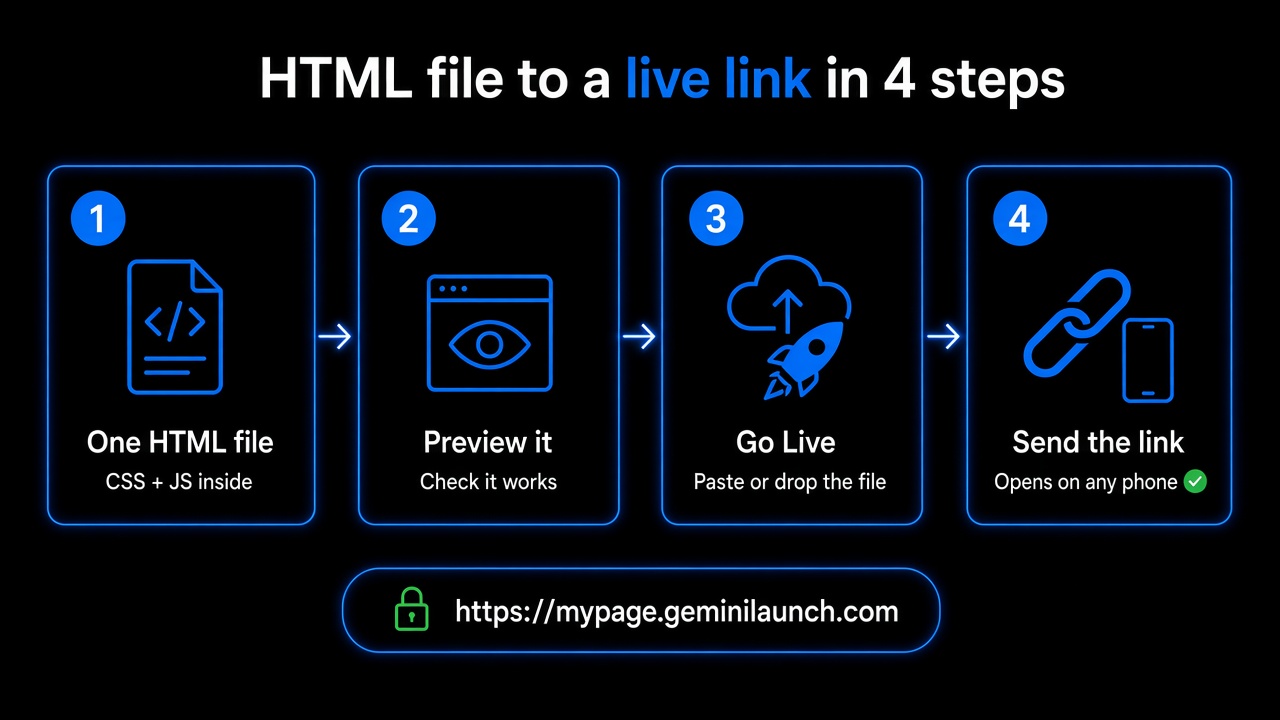
Make it one self-contained file
If the page loads style.css, script.js, or photo.png from next to it, those files will not come along. Put CSS and JavaScript inside the .html, and use full https:// links for images.
AI prompt: "Rewrite this as one complete index.html with all CSS and JavaScript inline and full https image URLs."
Check it in a real browser
Paste the code into the free HTML preview tool and look at it on desktop and mobile widths. Fix anything blank before you share.
Got a folder instead of one file? Zip it with index.html at the top and run the free ZIP checker.
Publish it and get your link
Sign in to GeminiLaunch for free, paste the HTML or drop the file (or a ZIP), and click Go Live. You get a public HTTPS link on a free GeminiLaunch subdomain.
Free: up to 3 live sites, 5 MB each, no credit card.
Send the link, then test it on your phone
Paste the link into email, WhatsApp, Slack, or a text. Open it yourself on your phone first. Nobody needs an account to view it.
Want yourbrand.com or a password page? Both start on Lite ($5/mo).
Free tools for step 2: HTML preview for one file, and the ZIP checker for a folder.
Avoid these
Common HTML sharing mistakes
Sending a file:// path
A path like file:///C:/Users/you/index.html points to your own disk. It works on your computer and nowhere else.
Sharing only index.html when the page uses other files
Styles, images, and scripts saved next to it stay behind. The page looks broken or blank. Inline them, or upload the whole folder as a ZIP.
Putting private info in a public link
Anyone with the link can open the page and view its source. Leave out API keys and passwords. For client work, add a password from Lite.
Sending a new link for every small fix
Free sites cannot be edited after publishing, so a fix means a new link. On Lite you edit and republish at the same URL.
Page shows up blank after upload? See why your uploaded website is blank.
Related guide
Send clients a live preview
Full website ZIP for a client? Check it, then send a link.
Read the guideRelated guide
Host HTML without GitHub
Skip repos and Pages setup — go live from the file.
Read the guideRelated guide
Preview AI HTML online
Check the page in a real browser before you share it.
Read the guideFAQ
Sharing HTML files FAQ
Direct answers to what people ask ChatGPT, Copilot, Gemini, and Perplexity about sending HTML files.
How do I share an HTML file as a link?
Upload the file to a web host and send the URL instead of the file. On GeminiLaunch: sign in free, paste the HTML or drop the .html file, click Go Live, and copy the https link. It opens like any website on phones and computers.
Why does my HTML file show code when I send it to someone?
Their app is not opening it in a browser. Phone previews, chat apps, and cloud drives treat .html as a text document, so they show the source. A hosted link is served by a web server, which every browser renders as a page.
Why does my HTML file work on my computer but not for others?
On your computer the browser opens it from your own disk (a file:// address), and any CSS or images next to it are right there. Other people do not have those files. Put the page online and share the https link.
Can I send an HTML file on WhatsApp?
You can send it as a document, but it will not open as a web page — the other person gets a download or a code view. Send a hosted https link instead; WhatsApp opens it in the browser in one tap.
Can I email an HTML file as an attachment?
You can, but it is unreliable. Mobile mail apps often show code, scripts may not run, and Microsoft 365 admins can block or quarantine .html attachments. Put a link in the email instead.
How do I turn an HTML file into a website link for free?
Use a free host as your “HTML to website converter.” GeminiLaunch takes pasted HTML, a single .html file, or a ZIP, and gives you a public HTTPS link on a free subdomain. No GitHub, no terminal.
Can I share an HTML file through Google Drive?
Not as a working page. Google ended web page hosting from Drive in 2016, so a Drive link shows the file, not the site. Drive is fine for sending the source to a developer.
Does the person I send it to need an account?
No. Anyone opens a GeminiLaunch link in any browser. You need a free GeminiLaunch account to publish it.
How long does a free HTML link last?
On GeminiLaunch Free there is no 7- or 30-day timer — the site stays live while it is on your account. Many anonymous drop hosts delete links after 7 to 30 days.
Like this guide? Make GeminiLaunch a preferred source.
Get our hosting and deployment guides surfaced first in your Google results, AI Overviews, and Top Stories.
Stop attaching. Start linking.
Drop your HTML file into GeminiLaunch, get a free link that opens on any phone, and add yourbrand.com from Lite when you are ready. No credit card to start.