Quick answer
Copy your Claude Artifact's code (HTML or React JSX) and paste it directly into GeminiLaunch to publish a free standalone HTTPS site in under 2 minutes. If Claude created a plain HTML artifact starting with <!DOCTYPE html>, paste it as-is or test it in our free HTML preview first. If Claude created a React artifact using Tailwind CSS or lucide-react, do not rename it to index.html—paste or upload the .jsx directly on GeminiLaunch so the browser-ready bundle is compiled automatically. Free gives up to 3 live sites (5 MB each); custom domains start on Lite ($5/mo).
Ready to publish your code?
Paste HTML or React, upload a ZIP, and get a live HTTPS link in seconds.
Options
Publishing paths compared
Choose the right workflow based on whether your Claude Artifact is plain HTML, React JSX, or a multi-file export.
| Option | Setup | Custom domain | Tradeoff |
|---|---|---|---|
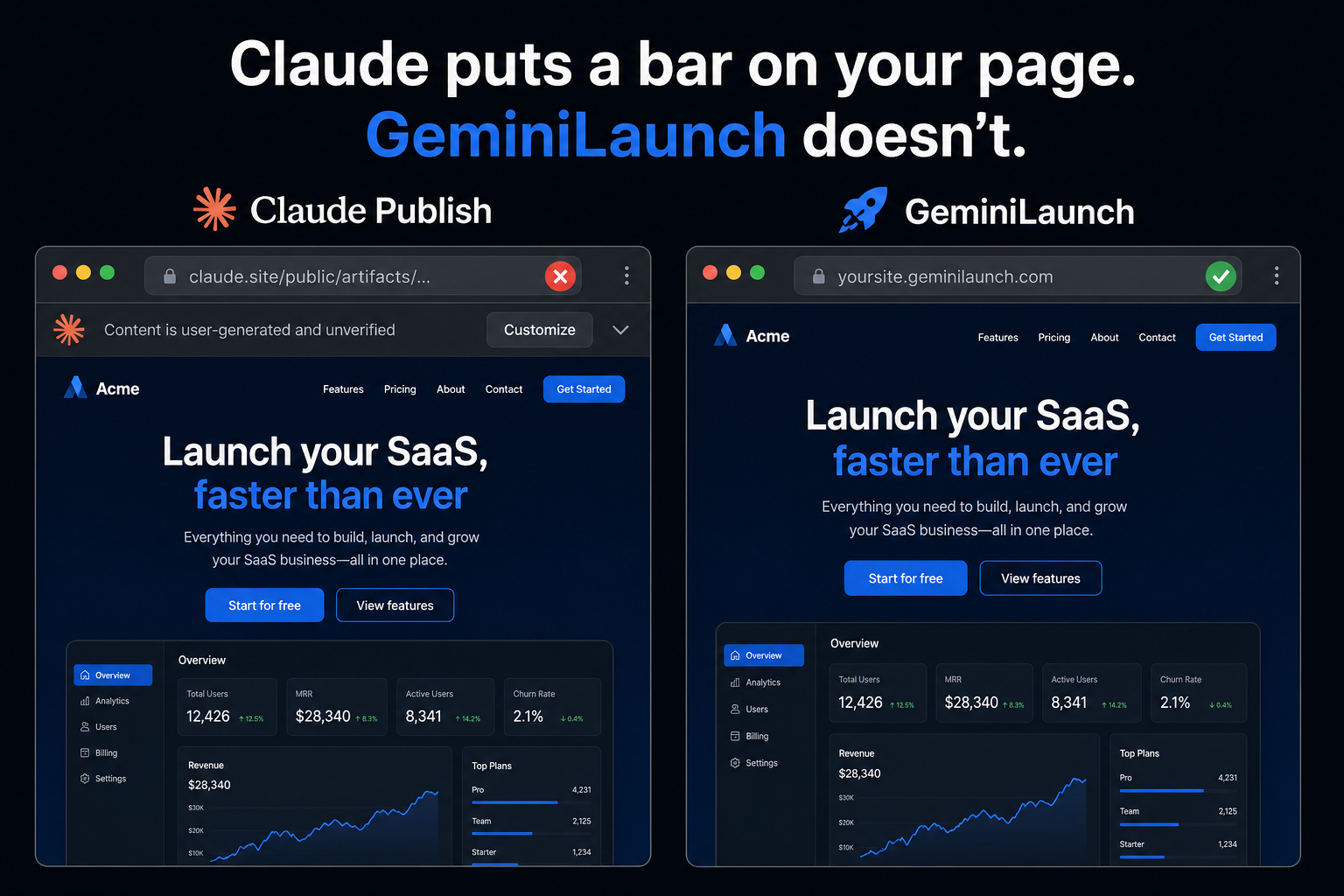
| Claude Publish / Share link | 1 click inside Claude | No (claude.site / claude.ai) | Viewers may need a Claude account, sees Anthropic chrome, no custom domain or SEO control. |
| Save .jsx locally and double-click | Download file | None (local only) | Browsers cannot execute raw JSX or import statements; shows raw code or a blank tab. |
| Manual Vite + GitHub + Vercel | Node, npm, repo, CI | Yes (requires Git setup) | Works well for developers, but overkill for publishing a single interactive Artifact. |
| Paste HTML or .jsx into GeminiLaunchFastest path | Paste code → Go Live | Yes, from Lite ($5/mo) | Compiles single-file React + Tailwind + lucide-react or serves plain HTML with free SSL and no GitHub. |
Step-by-step
5 steps to a live HTTPS site
Open the Artifact code view and identify HTML vs React
Click the Code toggle on your Claude Artifact panel. If the first line is <!DOCTYPE html>, it is self-contained HTML. If it begins with import React or export default function, it is a React JSX artifact.
Always copy from the latest revision of the Artifact panel rather than an earlier chat turn.
Verify external libraries and remove sandbox-only hooks
Claude's sandbox sometimes references window.claude or unsupported local modules. Keep standard Tailwind classes and lucide-react icons, or ask Claude to remove sandbox-only calls so the page works on the open web.
Never put Anthropic API keys or private secrets inside client-side Artifact code.
Preview HTML artifacts before publishing
For plain HTML artifacts, paste the code into GeminiLaunch's free HTML Preview tool to check mobile widths, layout overflow, and button interactions privately in your browser.
If a React artifact uses Recharts or custom npm packages you want zero dependencies for, ask Claude to convert it to one standalone index.html with inline SVG or Canvas.
Paste into GeminiLaunch and click Go Live
Create a free GeminiLaunch project, paste your HTML or React JSX code (or upload the downloaded file), and click Go Live. GeminiLaunch detects React automatically and serves an instant HTTPS link.
Free plan includes up to 3 live HTTPS sites (5 MB per site) with a small badge. Lite ($5/mo) removes the badge and lets you edit in place.
Connect a custom domain or publish via Claude MCP
Attach yourbrand.com from Lite ($5/mo, 1 domain) or Pro ($15/mo, up to 5 domains). You can also connect the official GeminiLaunch MCP server so Claude publishes and updates your site straight from chat.
Add custom page title, meta description, and Open Graph tags in your project settings before sharing on LinkedIn or X.
Copy-paste
Cleanup prompts before export
Paste one of these prompts into your Claude conversation before copying your Artifact out.
Make a Claude Artifact standalone HTML
Rewrite this Artifact as one self-contained index.html with all CSS in <style> and all JavaScript in <script>. Remove any window.claude calls, local imports, or build-step dependencies so it runs in any browser.
Prepare a clean React JSX Artifact for direct hosting
Ensure this React Artifact exports a single default component, uses only standard React hooks, Tailwind CSS classes, and lucide-react icons, and works with zero external API keys or relative file imports.
Add mobile responsiveness and SEO meta tags
Check that this page looks clean at 375px mobile width and add a proper <title>, <meta name="description">, and viewport tag inside <head>.
Avoid these
Common deployment mistakes
Renaming a downloaded .jsx or .tsx Artifact to index.html
Changing the filename does not transpile JSX into browser JavaScript. Paste the .jsx directly into GeminiLaunch so it compiles cleanly, or ask Claude for plain HTML.
Leaving window.claude or sandbox API calls inside the component
Claude's in-app Artifact runner injects helper APIs that do not exist on regular websites. Remove those calls so buttons do not throw ReferenceErrors.
Sharing a claude.ai Artifact link with clients who lack a Claude account
Visitors without a Claude login can hit sign-in prompts or see Anthropic branding. Publish to a standalone HTTPS URL anyone can open.
Forgetting to check mobile layout before sharing
Artifacts preview in a narrow side panel on desktop, which can hide wide-table overflow or fixed pixel widths on real phones.
Related guide
Turn a Claude Artifact into a website
Compare claude.site publish links vs hosting on your own domain.
Read moreRelated guide
Share a Claude Artifact without a Claude account
Remove login friction for clients, students, and mobile visitors.
Read moreRelated guide
Publish from Claude with MCP
Connect OAuth MCP once and deploy directly from chat.
Read moreFAQ
Frequently asked questions
Can I publish a Claude Artifact as a real website without GitHub?
Yes. Copy the Artifact's HTML or React JSX code, paste it into GeminiLaunch, and click Go Live. You get a standalone HTTPS link in seconds without Git, npm, or a repository.
Why is my downloaded Claude React Artifact blank when I open it?
Browsers cannot execute raw React JSX or ES import statements directly from a local file. Paste the .jsx code into GeminiLaunch (which compiles React automatically) or ask Claude to output a single-file vanilla HTML/CSS/JS version.
Do Tailwind CSS and lucide-react work when publishing a Claude Artifact?
Yes. Single-file React artifacts pasted into GeminiLaunch support Tailwind styles and lucide-react icons out of the box without manual build configuration.
Will visitors need a Claude account to view my published site?
No. Once published on GeminiLaunch, your site is a normal public HTTPS web page that opens on any phone or desktop browser without a Claude login.
How do I put a Claude Artifact on my own custom domain?
Publish the Artifact on GeminiLaunch first, then connect your domain on Lite ($5/mo for 1 custom domain) or Pro ($15/mo for up to 5 domains). Automatic HTTPS/SSL is included.
Can Claude publish my Artifact automatically without copy-pasting?
Yes. Connect the GeminiLaunch MCP server (https://www.geminilaunch.com/api/mcp) to Claude with OAuth—included on every plan including Free (up to 20 publishes/day)—and ask Claude to publish your site directly.
What is the free plan limit for hosting Claude Artifacts?
GeminiLaunch Free includes up to 3 live sites, up to 5 MB per site, free subdomains with automatic SSL, and MCP publishing. Paid plans start at Lite ($5/mo) for editing after publish, badge removal, password previews, and 1 custom domain.
Like this guide? Make GeminiLaunch a preferred source.
Get our hosting and deployment guides surfaced first in your Google results, AI Overviews, and Top Stories.
Publish your Claude Artifact to a real HTTPS URL
Paste your HTML or React Artifact into GeminiLaunch, go live free in seconds, and add your own domain from Lite when ready.