Quick answer
If your Google AI Studio prototype is a frontend UI, calculator, portfolio, or client demo that does not need live server-side Gemini API calls, you do not need Google Cloud Run billing. Download the project ZIP from AI Studio, audit and remove any client-side GEMINI_API_KEY or @google/genai calls (or replace them with static/client-side logic), build the production dist/ folder (or upload a single-file export), and publish it free on GeminiLaunch (up to 3 sites, 5 MB each; custom domain from Lite at $5/mo). Keep Cloud Run or a backend proxy only when your live app truly needs secret server-side model calls.
Ready to publish your code?
Paste HTML or React, upload a ZIP, and get a live HTTPS link in seconds.
Options
Publishing paths compared
Pick static hosting vs Cloud Run based on whether your live prototype calls the Gemini API.
| Option | Setup | Custom domain | Tradeoff |
|---|---|---|---|
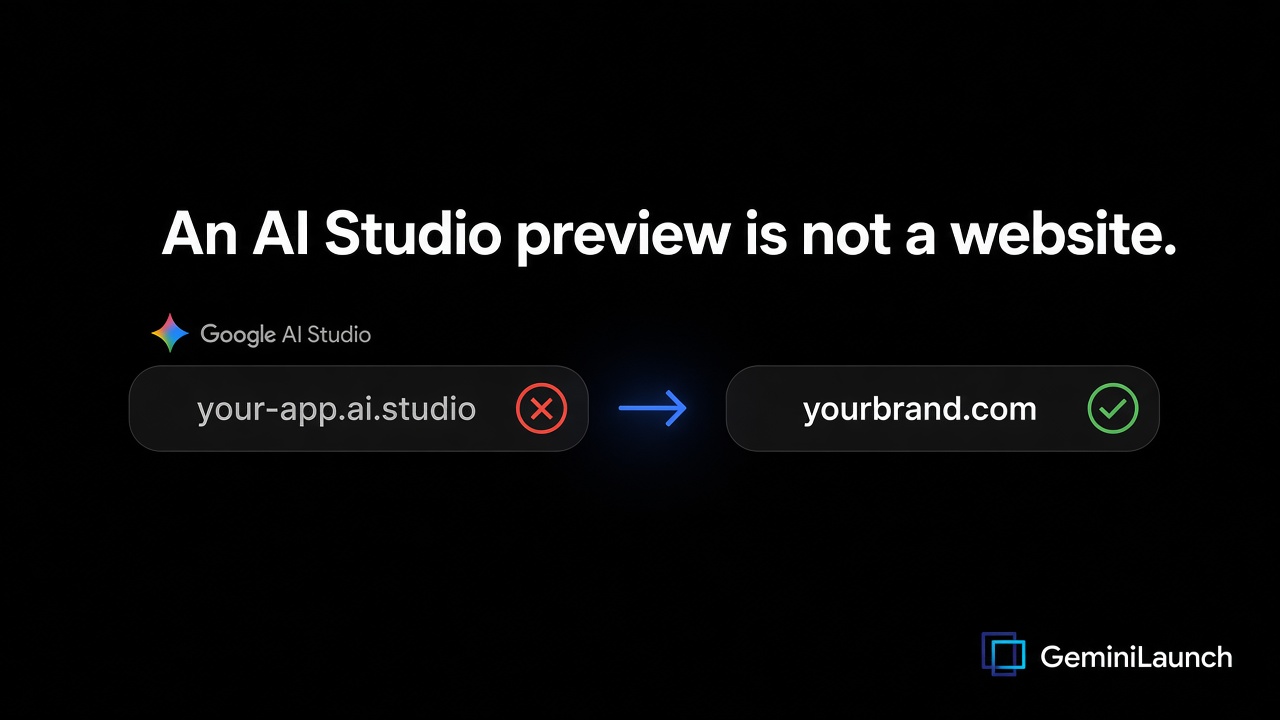
| Google AI Studio Preview link | In-studio only | No | Meant for prototyping inside AI Studio, not public production websites or branded URLs. |
| Deploy to Google Cloud Run | GCP project + billing card | Manual Cloud Run domain mapping | Best when your app needs a secure server proxy for live Gemini API calls; requires GCP billing setup. |
| Upload raw AI Studio ZIP (src/) | Zip download | Breaks (blank page) | AI Studio downloads Vite source code (src/ + index.html pointing to .tsx), which renders blank if not built. |
| Build dist/ (or static HTML) → GeminiLaunchFastest path | npm run build → upload dist/ | Yes, from Lite ($5/mo) | Zero GCP billing, instant HTTPS, free 5 MB subdomain tier, ideal for static prototypes and client demos. |
Step-by-step
5 steps to a live HTTPS site
Decide: static prototype or live Gemini API backend?
Inspect your AI Studio app's code for process.env.API_KEY, GEMINI_API_KEY, or @google/genai. If the app only uses UI, forms, charts, or client-side data, it can run 100% statically with zero backend.
Never ship a real Gemini API key inside browser JavaScript—anyone can inspect DevTools and consume your quota.
Ask AI Studio to decouple backend keys for static demos (if needed)
If you are presenting a clickable product prototype to stakeholders or clients, ask AI Studio to replace live model calls with deterministic local logic or clearly labeled demo responses so no secret key is required.
If live AI generation IS required for public users, keep a real backend proxy (Cloud Run or serverless function) to protect your key.
Download the ZIP and build the production dist/ folder
Click Download app in Google AI Studio, unzip it locally, run npm install && npm run build in the folder, and verify that Vite creates a dist/ directory with index.html and compiled assets/.
Check vite.config.ts and confirm base is '/' (or './') so JS and CSS bundles resolve cleanly at root.
Validate your dist/ ZIP before uploading
Drop your zipped dist/ folder into GeminiLaunch's free browser ZIP checker. It checks locally (nothing uploaded) for missing index.html, accidental src/ uploads, broken asset paths, or leftover .env files.
Delete any .env or .env.local file before zipping—never bundle environment files into a static upload.
Upload dist/ to GeminiLaunch and share your live HTTPS URL
Upload the dist/ folder or ZIP to a free GeminiLaunch project and click Go Live. Add a password-protected preview or custom domain on Lite ($5/mo) when presenting to clients.
Free supports up to 5 MB per site; Lite raises upload limits to 15 MB, and Pro/Scale allow up to 45 MB per site.
Copy-paste
Cleanup prompts before export
Use these prompts inside Google AI Studio Build before downloading your prototype ZIP.
Make prototype 100% static and key-free
Refactor this prototype so it runs completely client-side as a static Vite build with zero GEMINI_API_KEY, process.env references, or server calls. Keep the full interactive UI intact.
Fix Vite asset paths for root static hosting
Ensure vite.config.ts produces clean root-relative asset paths for static hosting in dist/ and verify that all images and icons bundle cleanly with npm run build.
Convert simple AI Studio UI into one index.html
Export this UI layout as a single standalone index.html with inline CSS and vanilla JavaScript so I can host it directly without running a local Node build.
Avoid these
Common deployment mistakes
Uploading the raw downloaded AI Studio ZIP without running npm run build
The downloaded archive contains TypeScript/JSX source files (index.tsx) that browsers cannot execute directly, resulting in a white screen.
Hardcoding GEMINI_API_KEY into vite.config.ts define or frontend JS
Anything compiled into dist/ is publicly visible in browser DevTools. Keep secret API keys strictly on a backend server.
Accidentally zipping .env.local inside the upload archive
Always zip only the contents of dist/, never the project root folder that holds .env files or node_modules/.
Using BrowserRouter deep links without static fallback planning
Multi-view static prototypes work best with hash routing or clean state views so refreshing a subpage never throws a 404.
Related guide
Turn Google AI Studio Build into a website
Step-by-step walkthrough from AI Studio Build ZIP to live URL.
Read moreRelated guide
Upload dist, not src — why AI sites go blank
Visual explanation of source folders vs compiled production builds.
Read moreRelated guide
Free ZIP blank-page checker
Verify your dist/ archive privately in your browser before publishing.
Read moreFAQ
Frequently asked questions
Do I have to pay for Google Cloud Run to host a Google AI Studio prototype?
Not if your prototype is a static frontend or client-side demo that does not need live server-side Gemini API calls. Build the dist/ folder and host it free on GeminiLaunch (up to 3 sites, 5 MB each).
Why is my Google AI Studio ZIP blank after uploading it?
AI Studio exports unbuilt Vite source files (src/ and .tsx imports). Run npm install && npm run build locally and upload only the generated dist/ folder, or use our free ZIP checker to verify.
Is it safe to put my GEMINI_API_KEY in a static AI Studio website?
No. Any API key bundled into frontend JavaScript can be read by visitors in browser DevTools and abused. Remove secret keys for static prototypes, or route live API calls through a backend server like Cloud Run.
Can I password-protect my AI Studio prototype for client review?
Yes. On GeminiLaunch Lite ($5/mo) and above, you can enable a real server-side password gate so only reviewers with the password can view the prototype and search engines do not index it.
What if I do not have Node.js installed to build the AI Studio ZIP?
Ask Google AI Studio to rewrite simple single-page UIs as one self-contained index.html file, or use GeminiLaunch's source-ZIP build option (Free allows 1 build/day, Lite 10/day, Pro/Scale 30/day).
How large can my Google AI Studio static build upload be?
GeminiLaunch accepts folder/ZIP uploads up to 5 MB per site on Free, 15 MB per site on Lite ($5/mo), and 45 MB per site on Pro ($15/mo) and Scale ($39/mo).
Can I connect my own custom domain to a hosted AI Studio prototype?
Yes. Custom domains with free automatic SSL start on Lite ($5/mo for 1 domain), Pro ($15/mo for up to 5), and Scale ($39/mo for unlimited domains).
Like this guide? Make GeminiLaunch a preferred source.
Get our hosting and deployment guides surfaced first in your Google results, AI Overviews, and Top Stories.
Launch your Google AI Studio prototype without GCP billing
Check your dist/ archive in the free ZIP checker, publish an instant HTTPS link on GeminiLaunch, and add a custom domain or password preview from Lite.