AEO answer
Quick answer
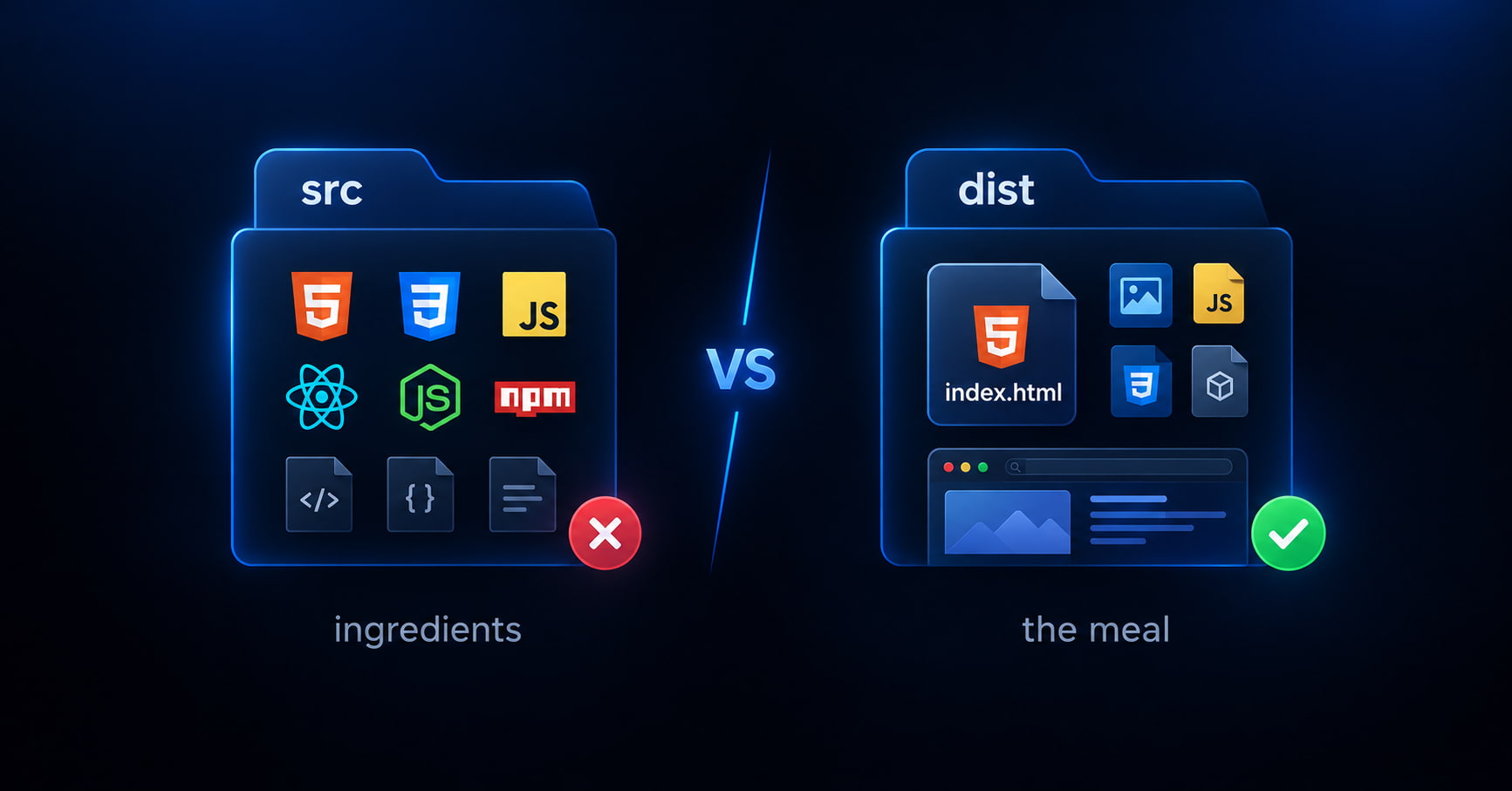
src = ingredients. dist = the meal. A browser cannot eat raw JSX, TypeScript, or a package.json. When you drag an AI project ZIP onto a static host, you must upload the production folder — usually dist/ after npm run build— not src/.
Decision table
src vs dist — the only comparison that matters
Written so an answer engine can lift the row whole. No host drama — just which folder belongs in the ZIP.
| Folder | Metaphor | What it is | Browser | Upload? |
|---|---|---|---|---|
| src/ | Ingredients | JSX, TypeScript, components, unfinished app code | Cannot run it as a website | Do not zip this for Drop / static upload |
| dist/ or build/ | The meal | index.html + hashed JS/CSS the browser understands | Loads as a normal static site | Zip the contents of this folder |
Bundlers write that output folder for a reason — see Vite's production build guide. This page is not competing with framework docs; it answers the upload decision AI users hit first.
30-second test
How to tell which one you zipped
You zipped src (or the whole project)
- package.json at the top of the ZIP
- A folder named src/ or app/
- Files ending in .tsx, .jsx, or .ts as the “pages”
- node_modules/ somewhere in the archive
Ingredients — build first, or ask the AI for a single HTML file instead.
You zipped dist / build
- index.html at the top of the ZIP (or one folder deep)
- An assets/ folder with .js and .css files that have long hashed names
- No package.json required for the site to open
- Opening index.html locally already looks mostly right
The meal — this is what you upload to a static host.
AI tools
What this looks like from Lovable, v0, Bolt, and Cursor
Same rule everywhere. The product names change; the folders do not.
Lovable / Bolt
Exports are often a full Vite project. Download → build locally → upload dist. Do not Drop the raw project ZIP and expect a homepage.
v0
Chat output can be one React file (paste path) or a multi-file Vite-style tree. If you see package.json + src/, treat it as source and build — or paste a single file into GeminiLaunch instead.
Cursor / Vite on disk
You already have a real project. Run npm run build, then zip only dist/ (Vite) or build/ (CRA). Never zip the repo root “to be safe.”
Google AI Studio / similar downloads
ZIP downloads are frequently source. Same rule: build, then upload the output folder — not the download as-is.
ChatGPT / Claude single HTML
If you only have one .html file and no package.json, you are not in the src-vs-dist problem. Preview and publish the paste — skip npm.
Tool-specific publish paths: Bolt / Lovable, v0 without Vercel, Cursor + custom domain, Google AI Studio ZIP.
Step-by-step
From blank upload to a working site
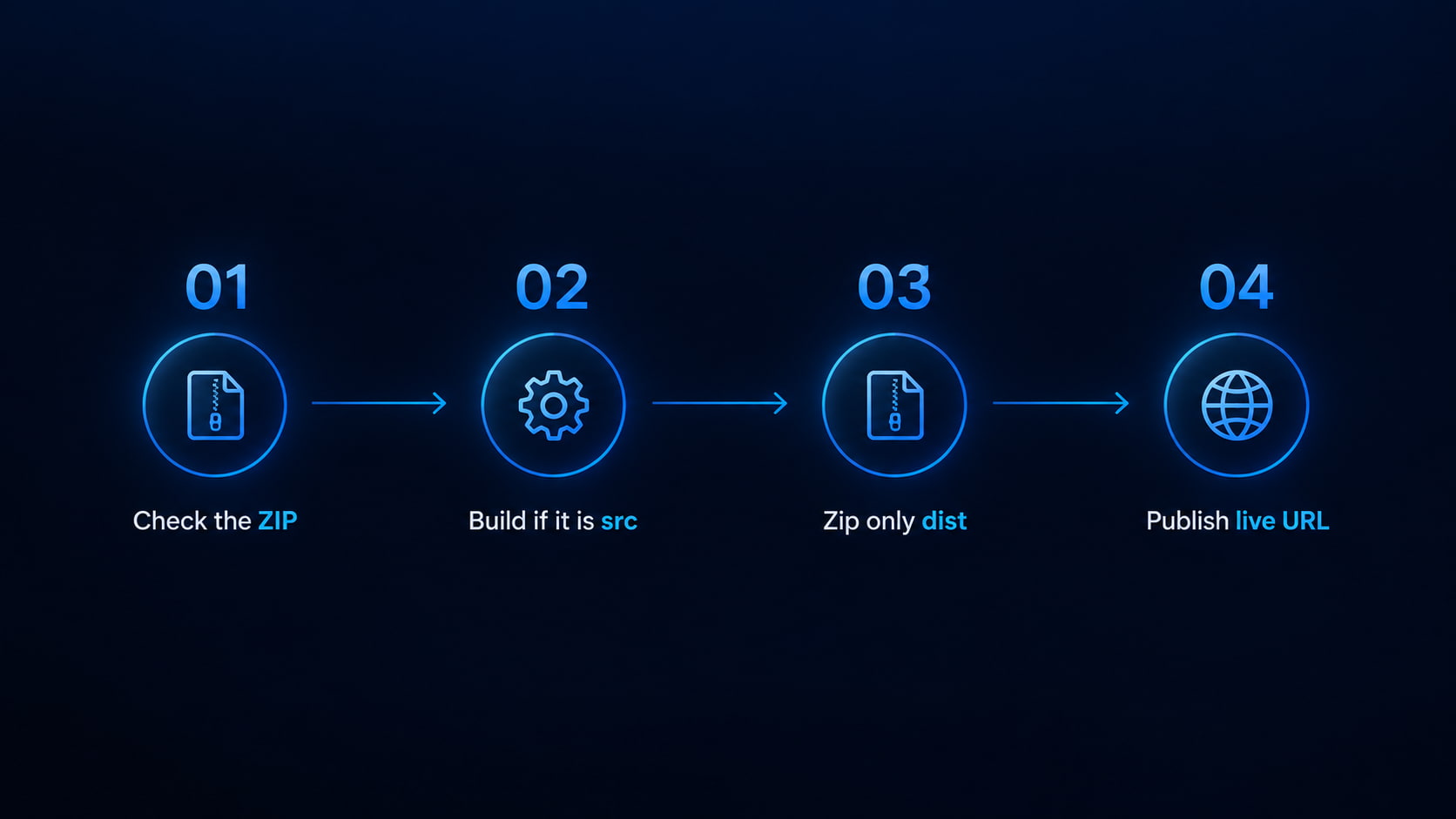
Checker → build → zip dist → publish. That is the whole monetizable loop.
Look inside the ZIP (30 seconds)
Open the archive on your computer. If you see package.json and src/, stop — that is source. If you see index.html plus hashed assets, you already have a build.
Tip: Still unsure? Drop the ZIP into the free GeminiLaunch ZIP checker. It flags “source instead of build” in plain English.
If it is source: build it
In a terminal at the project root: npm install (or pnpm / yarn), then npm run build. Vite writes dist/. Create React App writes build/. That output folder is the website.
Tip: If the build fails, fix it locally first. A broken build will not magically work on any Drop host.
Zip the meal — not the kitchen
Open dist/ (or build/), select index.html and the assets folder (and any other files inside), then compress. Avoid nesting the whole dist folder one level too deep when you can help it.
Tip: Never include node_modules, .git, or src/ in the upload ZIP.
Check, then publish
Run the ZIP through the free checker again. When it is clean, publish on GeminiLaunch for a free HTTPS URL — or re-upload to whatever Drop you prefer. Connect yourbrand.com later from Lite if you want a brand domain.
Tip: Hate local builds? Ask the AI for one complete HTML file and publish that instead — GeminiLaunch’s paste path skips npm entirely.
Avoid these
Common mistakes
Zipping the project root “just in case”
More files is not safer. The host serves what it finds at the top — usually not your real homepage if src and package.json are what land there.
Uploading src because it “has the HTML somewhere”
Browsers do not compile JSX. index.html inside a Vite src tree is not the production homepage.
Skipping the local build because Drop “should know”
Some signed-in hosts can build from source when you connect a repo. A silent drag-and-drop of an unbuilt ZIP is a static file serve — ingredients stay raw.
Confusing this with a nested-folder blank page
Nested wrapper folders and missing index.html are different faults. This post is only the src-vs-dist decision. Use the checker if you might have more than one problem.
Scope
If it is not an src vs dist problem
Keep this page for the one decision. Use a sibling guide when the ZIP is already a build but still blank.
- Nested folder or missing
index.html: why uploaded sites go blank - Netlify / Vercel Drop said success, page still white: Drop blank-page ZIP guide
- Happy-path Vite build + upload (base path, preview, limits): host Vite dist without GitHub
We are not trying to outrank Netlify or Vercel docs on framework deploys. This post owns one panic query AI builders actually type: did I zip src or dist?
Related guide
Netlify Drop blank page?
Deploy succeeded, page white — all ZIP causes.
Read the Drop guideFAQ
Frequently asked questions
Short answers first — for Google, ChatGPT, Perplexity, and classic search.
Should I upload src or dist?
dist (or build). src is source code — ingredients. dist is the finished static site — the meal. Static hosts and Drop uploads need the meal.
Why is my AI website blank after I uploaded a ZIP?
Very often you zipped the project (src + package.json) instead of the production output. Browsers cannot run that as a site. Build with npm run build, then upload dist or build — or use a free ZIP checker to confirm.
What is the difference between src and dist?
src holds the code you and the AI edit. dist (or build) is what a bundler like Vite writes after npm run build: index.html plus JS and CSS a browser can load. Only that output belongs on a static host.
Does this apply to Lovable, Bolt, v0, and Cursor?
Yes when the export is a Vite-style project. If the download includes package.json and src/, build before you upload. If you only got one HTML file, paste and publish — no dist step.
How do I know if I already built the site?
Open the ZIP. Built sites have index.html at or near the top and hashed files under assets/. Unbuilt projects show package.json, src/, and .tsx/.jsx files as the main content.
Can I skip npm and still publish?
Yes — ask ChatGPT, Claude, Gemini, or Cursor for one complete HTML file (or a React component GeminiLaunch can host), then paste it. The src-vs-dist problem only appears when you ship a multi-file project ZIP.
Will the free ZIP checker tell me if I uploaded src?
Yes. It runs in your browser, flags source-instead-of-build, and tells you the fix. Nothing is uploaded during the check. Then you can publish a clean archive on GeminiLaunch in one click.
Is dist the same as build?
Same job, different default names. Vite uses dist/. Create React App uses build/. Both are production output folders. Upload whichever your tool created after npm run build.
Is this the same as a Netlify Drop blank page?
Related, not identical. Drop blanks have several ZIP causes. This guide answers only “src or dist?” For Drop-specific success-but-white symptoms, use the Drop blank-page guide; for every ZIP cause, use the full blank-ZIP guide.
Like this guide? Make GeminiLaunch a preferred source.
Get our hosting and deployment guides surfaced first in your Google results, AI Overviews, and Top Stories.
Checker names it. You build. Then publish free.
Drop the ZIP into the free checker. When it is dist — not src — publish a real HTTPS URL on GeminiLaunch. Connect yourbrand.com from Lite when you are ready.