Quick answer
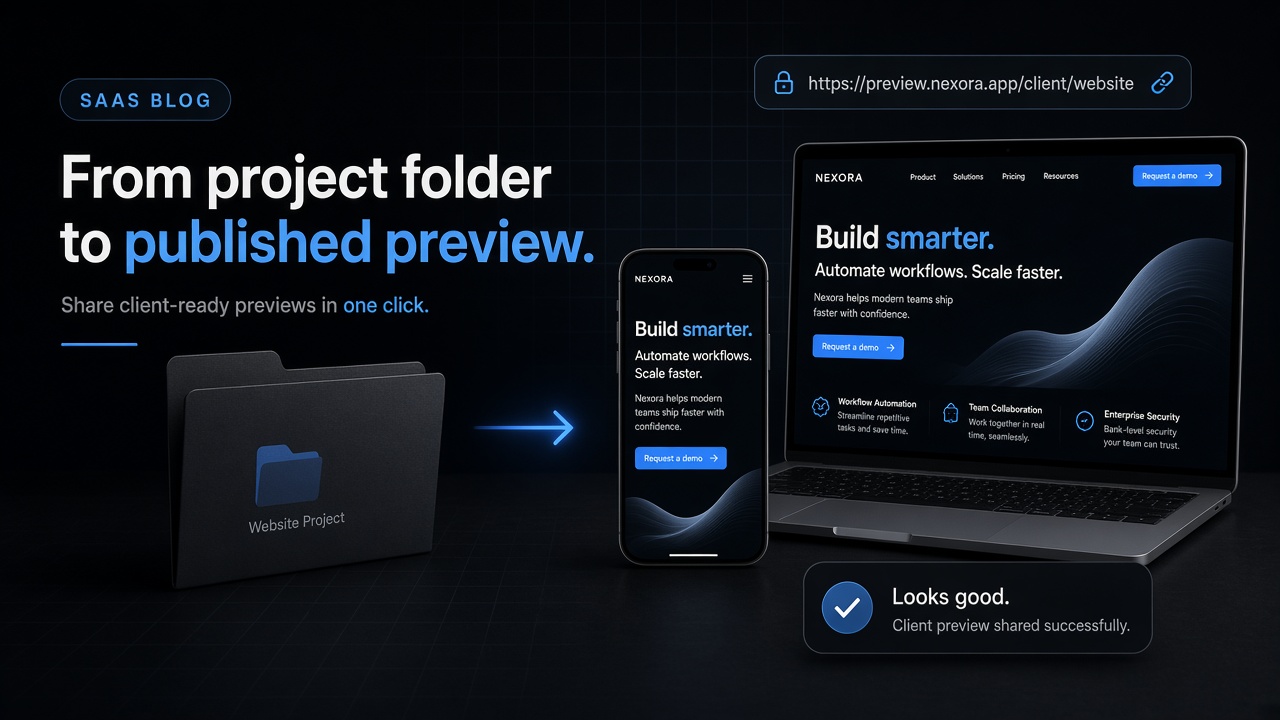
To send a client a live preview from a website folder, upload the finished static folder (or ZIP with index.html at the root) to GeminiLaunch or another Drop-style host, then share the HTTPS URL. No GitHub. Prefer one durable link for every feedback round — not a new anonymous Drop each time.
Why this works
A live preview link beats ZIP, screenshots, and localhost
A client website preview is a real HTTPS page the client opens on their phone or laptop. They scroll, tap buttons, and judge spacing the way visitors will — which screenshots and PDF exports cannot do.
The second rule: keep the address stable while the content changes. You send the URL once; each revision lands behind the same link. That is how Netlify documents updates for Drop projects too — rebuild locally, then drag the updated output folder onto the same site’s deploy dropzone (Netlify: create deploys).
This page is the share-for-feedback workflow. It is not the commercial ToS decision for paid client sites on Hobby Drop — that lives in Can You Host Client Sites on Netlify or Vercel Drop?. It is also not the general ZIP howto — see Host a Website from a ZIP or Folder.
Avoid
What not to send your client
A ZIP attachment
Many clients cannot unzip on mobile, and you lose control of which version they open later.
Screenshots or a PDF of the homepage
They cannot scroll, click buttons, or check mobile layout. Feedback turns into vague circles on images.
http://localhost or a LAN IP
Those addresses only work on your machine. The client’s browser will fail every time.
A GitHub repo invite “just to look”
Most non-technical clients will not clone or run npm. A preview link is the product they understand.
How-to
From folder on disk to client inbox
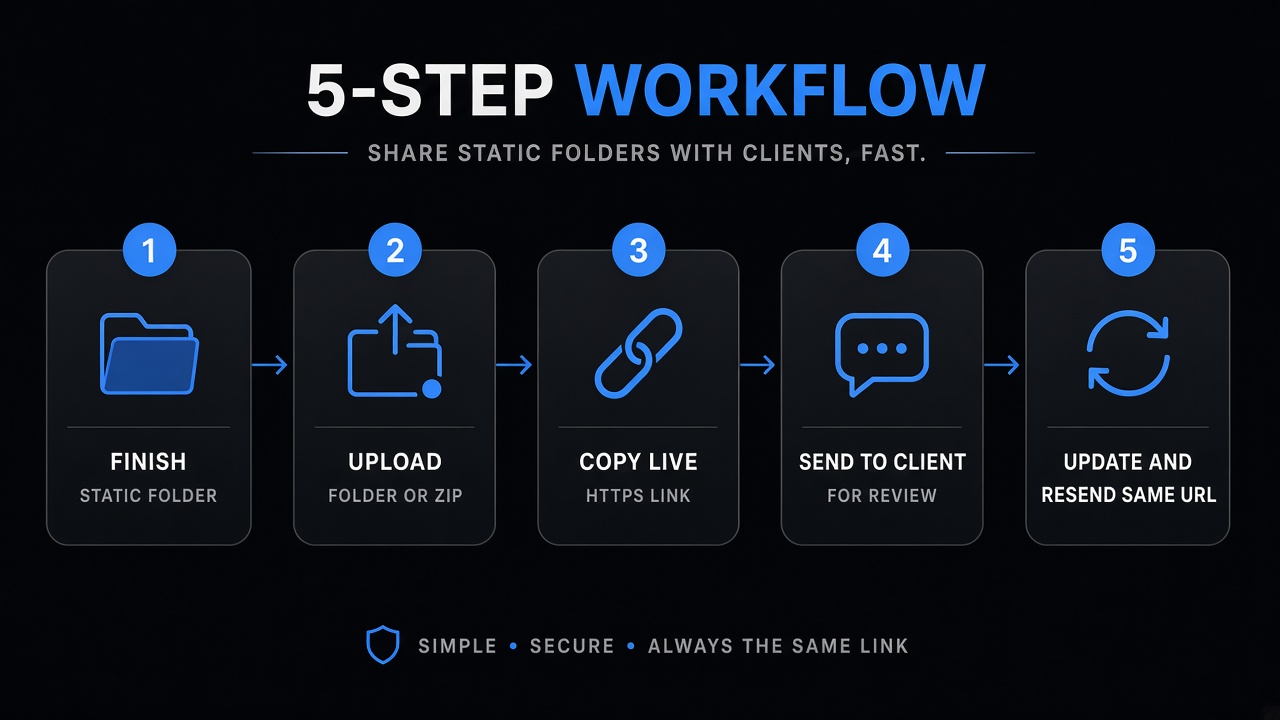
- 1
Finish a browser-ready folder (not a WIP repo)
The client should open real pages — HTML, CSS, JS, and images with index.html at the root. If you use Vite or React, upload the production output (dist/ or build/) after a local build, not src/ or node_modules.
Open the homepage locally first. If it is blank on your machine, the client link will be blank too.
- 2
Upload the folder or ZIP to a durable host
On GeminiLaunch, create a project, open ZIP / Folder, upload, and click Go Live. You get an HTTPS URL on *.geminilaunch.com — no GitHub, no staging server, no VPN to your laptop.
Skip anonymous Drop for anything that must survive overnight or a weekend. Claim windows and short-lived previews break client trust.
- 3
Send one link — not a ZIP, screenshot, or localhost URL
Paste the HTTPS URL into email, Slack, or WhatsApp. Ask the client to open it on phone and desktop. One stable address beats a new Drop link every round.
Copy-paste message below. Keep feedback in one thread tied to that URL.
- 4
Collect feedback, revise, republish to the same project
Fix the files locally, then upload the updated folder to the same project so the client refreshes the link they already have. On GeminiLaunch, editing and republishing an existing Free-plan site needs Pro or Scale — plan for that if you expect multiple rounds.
Paid client work on Vercel Hobby or Netlify Free has separate ToS and credit rules — see the client-sites policy guide before you promise production hosting.
Ready to share? Upload the folder on GeminiLaunch, copy the URL, and paste the email template below. Building with Vite? See Host a Vite or React build (dist) without GitHub first.
Copy-paste
Client email template
Keep the ask short. One link. Three clear reply options.
Subject: Preview link for review — [Project name]

Hi [Name],

Here’s a live preview of the site (opens in any browser — phone or desktop):

[your HTTPS URL]

Please reply with:
1) Anything that looks wrong
2) Copy changes (exact wording if you can)
3) “Approved” if you’re happy to move forward

I’ll keep this same link updated when I push changes.

Thanks,
[You]
Avoid these
Common mistakes that wreck client reviews
Sending a new URL every revision
Clients comment on the wrong version. Prefer one durable project URL and republish into it.
Using an unclaimed Drop as “production preview”
Short claim windows (for example Cloudflare Drop’s about-one-hour window) mean the link can die before the client opens email. Use a claimed or account-backed host for real reviews.
Uploading src/ instead of the built site
Clients see a blank page. Upload finished static output only — see the blank ZIP guide if that already happened.
Promising Hobby Drop for a paid client site
Workflow and ToS are different questions. This page is the workflow. Commercial rules for Vercel Hobby and Netlify Free live in the client-sites guide.
Already sent a blank page? Fix it with Why Your Uploaded Website Is Blank.
Compare
Where freelancers send client preview links
Pick for durable review links, not for a full Drop feature matrix — that comparison is separate.
| Host | Method | Worth knowing |
|---|---|---|
| GeminiLaunch | Folder / ZIP → durable URL | No GitHub · commercial-friendly free subdomain · Free 5 MB / Pro 45 MB · Pro to republish Free sites |
| Netlify Drop | Drag folder / ZIP | Re-drop updates on the same project when claimed · check Free credits for busy commercial work |
| Vercel Drop | Drop folder / ZIP | Each drop is often a new project · Hobby is non-commercial — see policy guide |
| Cloudflare Drop | Quick upload | Strong for short peeks · claim ASAP — not ideal as the only client review link overnight |
Drop claim windows & builds → GeminiLaunch vs Netlify, Cloudflare & Vercel Drop.
Paid client ToS on Hobby → client-sites Netlify/Vercel policy guide.
Your own resume site → Host a Portfolio From a ZIP (different audience).
Related guide
Client sites on Netlify / Vercel Drop?
Commercial ToS — Hobby bans, Free credits, when to upgrade.
Read the guideFAQ
Frequently asked questions
Direct answers for freelancers and agencies sharing a folder-based client preview without GitHub.
How do I send a client a live preview from a website folder?
Upload the finished static folder (or a ZIP with index.html at the root) to a host such as GeminiLaunch, copy the HTTPS URL, and send that single link. The client opens it in any browser — no GitHub and no unzipping required.
Why not just email the ZIP?
ZIPs fail on many phones, create version chaos, and hide real layout bugs. A live URL shows the same site the public will see.
Do I need GitHub for a client preview link?
No. Folder or ZIP upload is enough for static sites. Git-based Deploy Previews are useful when your team already works in pull requests — not when the client only needs to click and comment.
Can I update the preview after feedback?
Yes — that is the point. Fix files locally and republish to the same project so the client refreshes one bookmark. On GeminiLaunch Free, sites stay as first published; republishing an existing site needs Pro or Scale.
Is this the same as hosting a paid client site on Netlify or Vercel Drop?
No. This guide is the share-for-feedback workflow. Whether Hobby or Free plans allow paid client work is covered in Can You Host Client Sites on Netlify or Vercel Drop?
What folder should I upload?
The browser-ready output: index.html at the top, plus assets. For Vite use dist/; for Create React App use build/. Do not upload node_modules or an unbuilt src tree.
Is a client preview free on GeminiLaunch?
Yes for a free *.geminilaunch.com URL. Uploads are capped at 5 MB on Free and 45 MB on Pro ($15/mo) and Scale. Custom domains start on Pro. Plan Pro if you need multiple republish rounds on the same Free-created site.
How is this different from hosting my own portfolio from a ZIP?
Portfolio hosting is for your resume and LinkedIn. This article is for freelancers and agencies sending a review link to a client. Mechanics overlap; audience and message do not.
Will the client need an account?
No. They only need the HTTPS link in a normal browser. You keep the host account.
Like this guide? Make GeminiLaunch a preferred source.
Get our hosting and deployment guides surfaced first in your Google results, AI Overviews, and Top Stories.
Send the link — stop sending ZIPs
Upload the folder, copy one HTTPS URL, and let the client review on their own phone. Upgrade to Pro when you need republish rounds or the client’s custom domain.