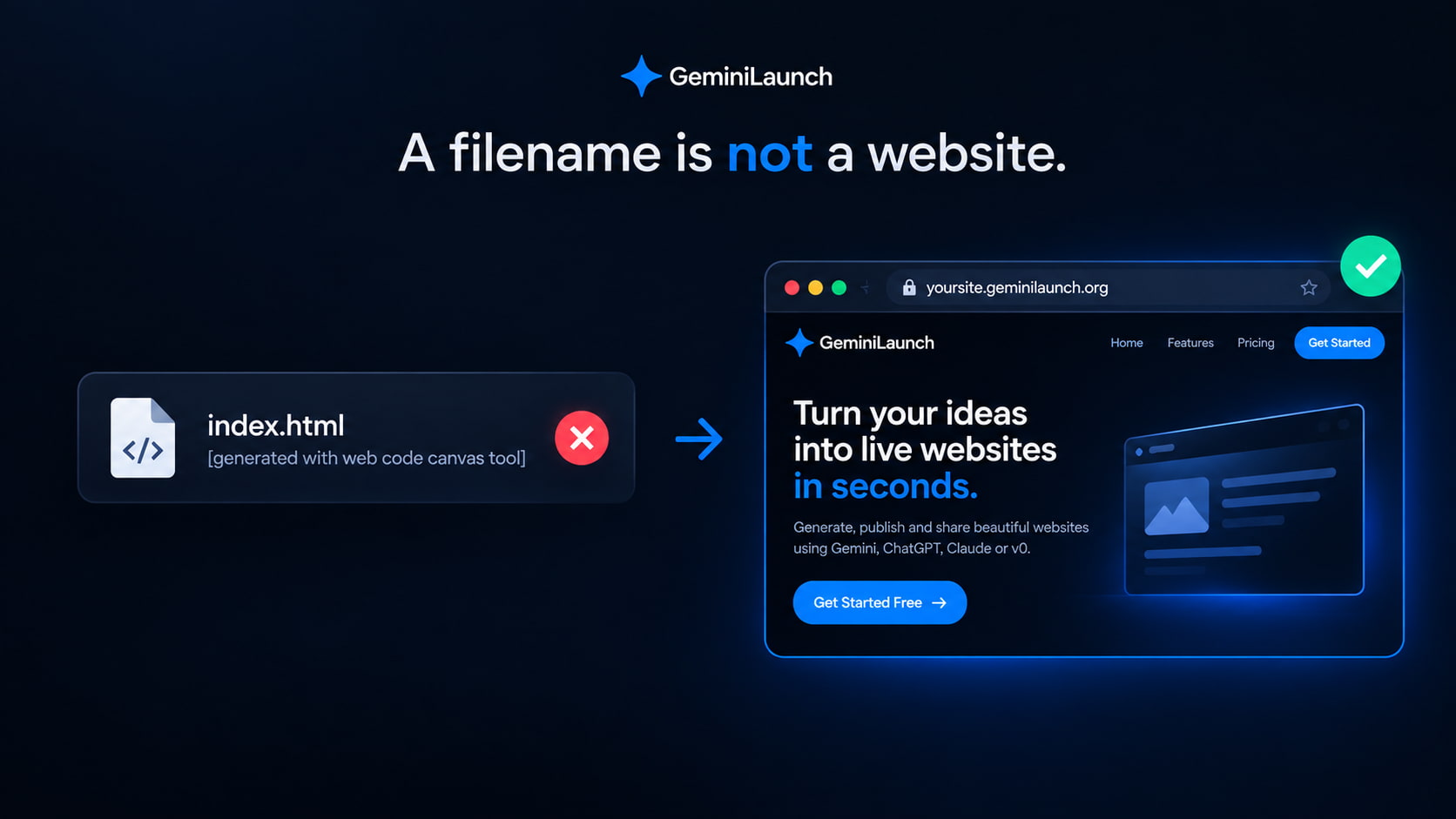
Quick answer
index.html [generated with web code canvas tool] is a Gemini Canvas web page, not a host URL. Open Gemini Canvas → Code (or Share & export → Copy contents), save as index.html, then paste into GeminiLaunch and publish. You get a free HTTPS link on a GeminiLaunch subdomain. Per Google's Canvas help, share links stay on gemini.google.com — hosting the file is how you get a normal website. Free: up to 3 sites (5 MB each). Custom domain from Lite ($5/mo).
Have the HTML ready?
Paste it. Publish. Share a real link — not the weird filename.
Scope
Who this page is for (and who should leave)
Use this guide when the problem is “Gemini gave me a weird index.html / web code canvas name — what do I do?”
- You googled index.html [generated with web code canvas tool] or web code canvas
- Gemini saved or labeled a file with that long name and you do not know what it is
- The file opens as code, or double-clicking it looks broken
- You want a real https link anyone can open — not a g.co share inside Gemini
Leave this page if:
You already understand Canvas and need g.co vs a real URL
Share-link limits, custom domain, and the full Canvas publish path
You want Gemini hosting options compared
Hub: paste-and-publish vs Drop hosts vs GitHub Pages
Your project is from Google AI Studio Build (ZIP)
Download ZIP → npm run build → upload dist — different workflow
Decode
What that Gemini filename actually means
People paste the whole string into Google because it looks like an error. It is a label. Break it into three parts:
index.html
The standard homepage filename browsers expect at a site root
generated with…
Gemini wrote the file for you — it is AI output, not a host URL
web code canvas tool
Gemini Canvas (web / code mode) produced the page inside the chat
Key insight
The file is the website code. Gemini already built it. You still need a host so the rest of the world gets an https address — not a chat preview and not a filename.
Decision
Four options after you have the file
Only one path gives a durable public page you control.
| Option | URL you get | Domain | Catch |
|---|---|---|---|
| Keep the long Gemini filename | File on your computer | No public URL | Hosts look for index.html — odd names often 404 |
| Gemini Share (g.co link) | g.co/gemini/share… | No custom domain | Opens inside gemini.google.com; viewers can copy the Canvas |
| Save as index.html only | Local file:// page | Works on your PC only | Fine to preview; not a link you can send |
| GeminiLaunchWins here | yoursite.geminilaunch.org | yourbrand.com from Lite | Paste or upload — free HTTPS link in seconds |
Deep dive on g.co limits: turn a Gemini Canvas into a website. Hosting comparison: Gemini website hosting.
How to
From weird filename to live URL (5 steps)
No GitHub. No terminal. Works for a download or for code still sitting in Canvas.
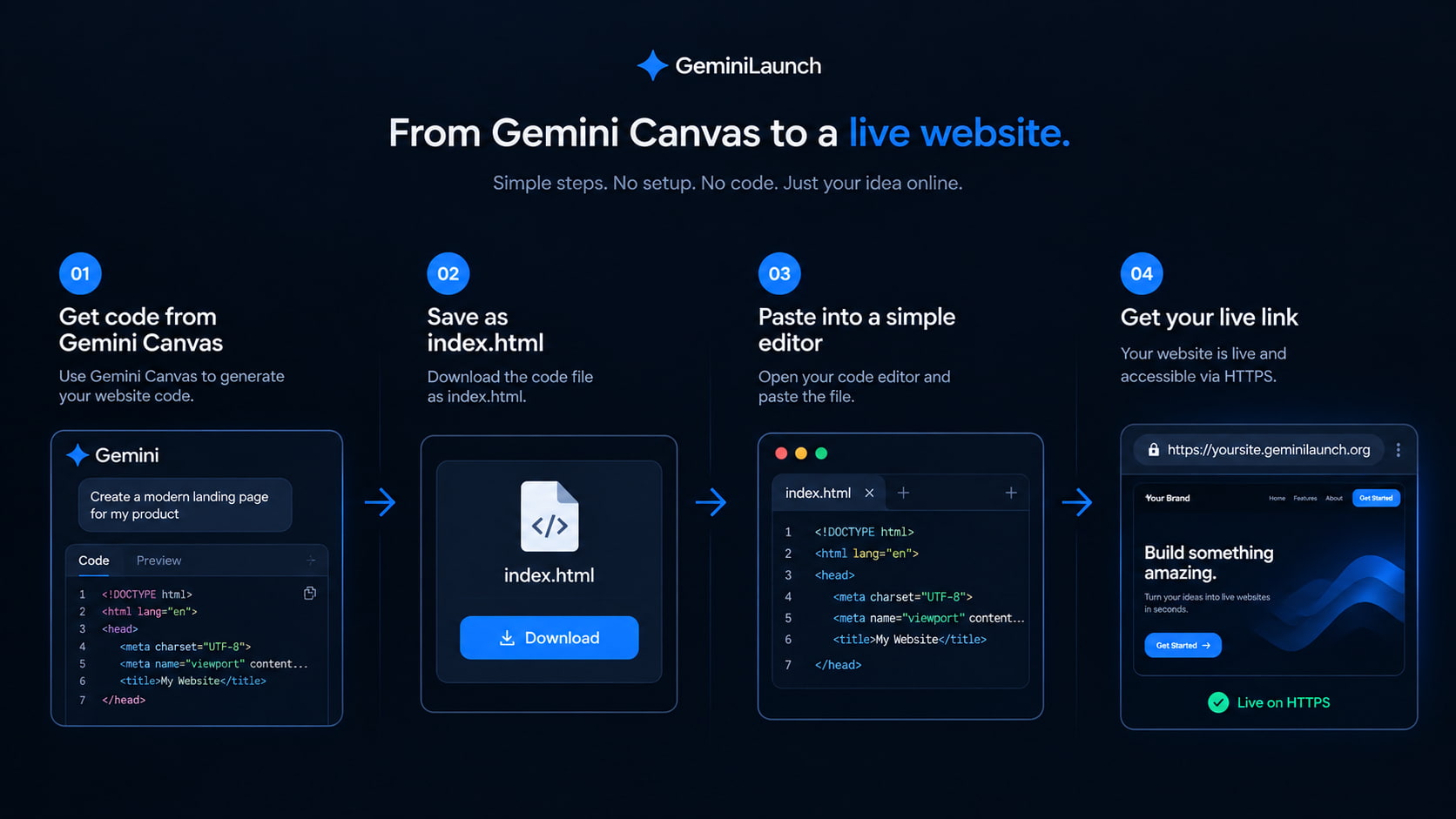
Confirm it is Gemini Canvas web code
If the label or download name includes “web code canvas,” “web_code_canvas,” or “generated with web code canvas tool,” you are looking at HTML (or related web files) from Gemini Canvas — not a finished website address. The preview inside Gemini is not the same as a public URL.
Still in the chat? Prefer copying from Code view so you get the full current version, not an old download.
Get one complete file named index.html
In Canvas, open Code (top of the Canvas panel) and copy everything. Or use Share & export → Copy contents. Paste into a text editor and save as index.html — drop the long “generated with…” suffix. If Gemini split HTML, CSS, and JavaScript, ask it for one single-file page with CSS and JS inline first.
Prompt: "Give me this entire page as one index.html file with all CSS and JavaScript inline."
Preview locally or in a free HTML viewer
Open index.html in your browser, or paste the code into GeminiLaunch’s free HTML preview tool. Check desktop and phone widths. Fix gaps in Gemini before you publish — truncated copies are the most common blank-page cause.
Never put secret API keys in a public page. Anyone can view the source.
Paste into GeminiLaunch and publish
Create a free GeminiLaunch project, paste the HTML (or drop the .html / ZIP), and click Go Live. You get a public HTTPS URL on a GeminiLaunch subdomain in seconds — no GitHub, no terminal, no server setup.
Free: up to 3 live sites, 5 MB each, small badge. Lite ($5/mo): edit after publish, no badge, 1 custom domain.
Optional: connect your own domain
When you want yourbrand.com, upgrade to Lite ($5/mo) for 1 domain or Pro ($15/mo) for up to 5. GeminiLaunch shows the DNS record to add at your registrar. Most domains go live within minutes after DNS updates.
Iterate in Gemini, copy the new code, republish on the same project so the URL stays stable (editing after publish needs Lite or above).
Free checks before you share: HTML preview and the ZIP checker.
Copy-paste
Useful Gemini prompts
Use these in the same Canvas chat before you copy the code out.
Single-file export
Rewrite this as one complete index.html with all CSS and JavaScript inline. No separate files.
Responsive check
Make this layout fully responsive for phones. Keep it one HTML file.
Remove backend assumptions
Remove any API keys, server calls, or features that need a backend. Keep a static page I can host anywhere.
Avoid these
Common web code canvas mistakes
Leaving the long “generated with web code canvas” filename
Many hosts only serve index.html at the site root. Rename before upload, or paste the code so the host creates the right entry file for you.
Treating the g.co share link as your website
Google’s Canvas help says shared links open on gemini.google.com (not the Gemini mobile app), and viewers can copy the Canvas. That is a demo surface — not yourbrand.com.
Copying only part of the code
A half copy drops styles or scripts. Ask Gemini for one complete file, then copy the whole block once.
Uploading a multi-file project without index.html at the root
If assets live in a nested folder, the live URL can look blank. Keep index.html at the top of the upload, or use a single inline HTML file.
Attachment opens as code on a phone? See share an HTML file as a link.
Start here
Gemini website hosting
Cluster hub: hosts compared, free live URL, custom domain path.
Read the hubRelated guide
Turn Gemini Canvas into a website
g.co share limits, source copy risk, custom domain from Lite.
Read the guideRelated guide
Publish Gemini HTML without coding
Generic paste-and-publish path if you already have clean HTML.
Read the guideFAQ
Web code canvas FAQ
Written the way people search — including the exact filename strings from Gemini.
What is index.html [generated with web code canvas tool]?
It is Gemini’s label for a web page built in Canvas (the web / code canvas tool). The important part is index.html — the rest of the name is metadata. It is not a live website URL by itself.
What is web code canvas / web_code_canvas?
Short names people search after seeing Gemini’s tool or filename. They point to Gemini Canvas web output. Open Code view, copy the HTML, and host it if you want a public link.
Can I open a Gemini web code canvas file on my computer?
Yes. Save the contents as index.html and open it in Chrome, Edge, or Safari. That only works on your machine. To share it, publish it to a host and send the https link.
Does Gemini export a downloadable HTML file?
Google’s Canvas help documents Share, Export to Docs/Slides, and Copy contents — not a one-click “Download website” for HTML. The reliable path is Code view (or Copy contents) → paste → save as index.html.
Is the g.co share link the same as hosting the file?
No. A share link opens inside Gemini’s interface. Hosting the file on GeminiLaunch gives a standalone HTTPS page anyone can open without Gemini, including on phones.
How do I host a Gemini web code canvas page for free?
Copy the code into GeminiLaunch, publish, and use the free subdomain URL. Free includes up to 3 live sites (5 MB each) with a small badge. Custom domains start on Lite at $5/mo.
Do I need GitHub to publish this file?
No. Paste the HTML or upload the file on GeminiLaunch. You do not need a repo, Vercel, or Netlify for a single static page.
Can I put the page on my own domain?
Not through Gemini’s share link. Publish on GeminiLaunch first, then connect yourbrand.com from Lite ($5/mo, 1 domain) or Pro ($15/mo, up to 5).
What if Gemini made React instead of plain HTML?
GeminiLaunch auto-detects HTML and supported React-style single-file output. If you have a full Vite project ZIP from AI Studio instead, follow the AI Studio → dist guide — that is a different product path.
Why does my published page look blank?
Usually a truncated copy, missing assets, or index.html not at the upload root. Re-copy the full single file, preview it, then republish. Use the free ZIP checker if you uploaded a folder.
Like this guide? Make GeminiLaunch a preferred source.
Get our hosting and deployment guides surfaced first in your Google results, AI Overviews, and Top Stories.
Turn that Gemini filename into a real link
Paste your Web Code Canvas HTML into GeminiLaunch, publish free, and share an https URL that opens on any phone. Add yourbrand.com from Lite when you are ready.