Quick answer
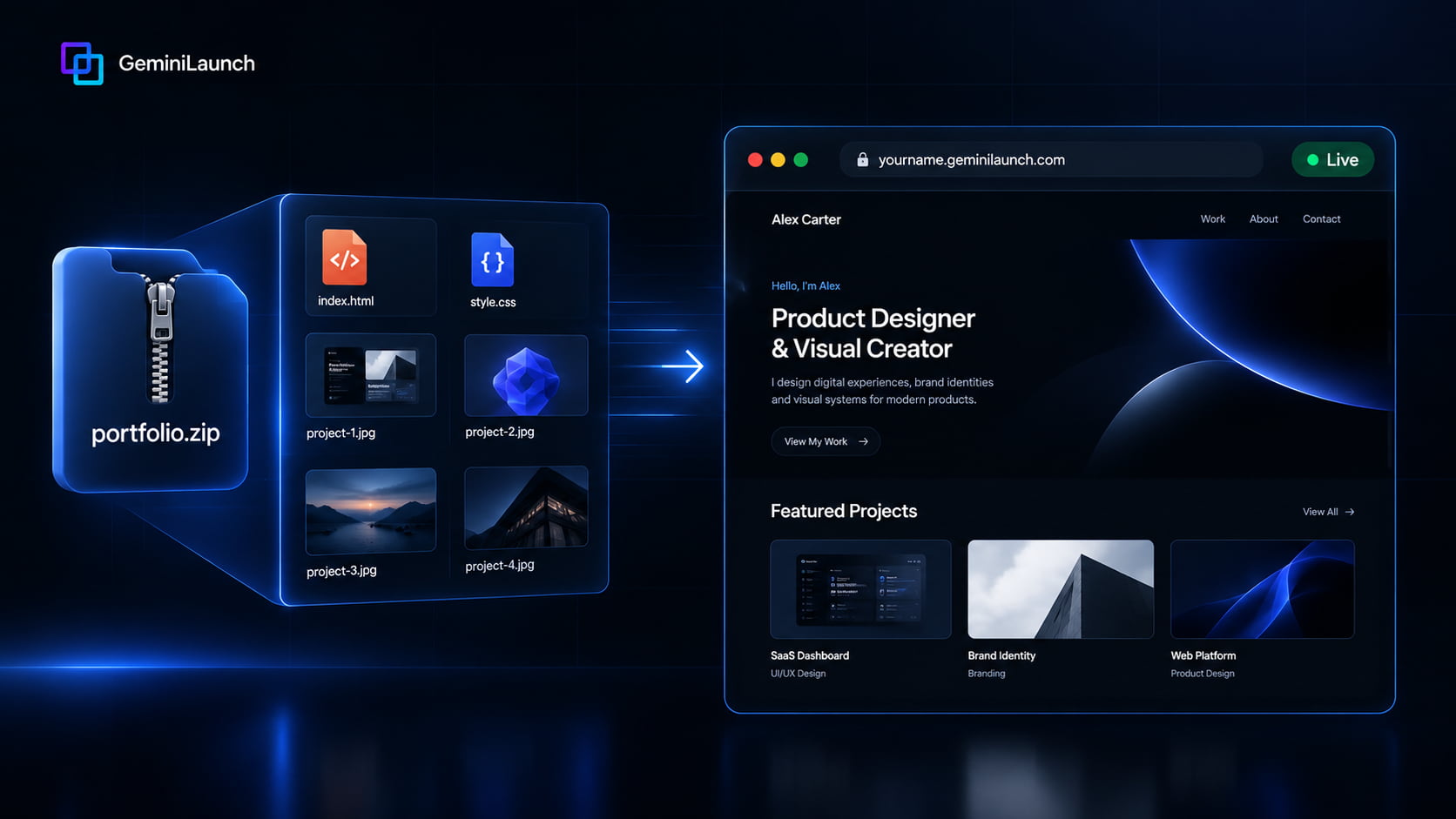
To host a portfolio from a ZIP without a public GitHub repo, put index.html at the archive root (or upload a Vite/CRA dist/build output), compress oversized images, then upload to GeminiLaunch or another Drop-style host. You get a public HTTPS URL for resumes — without making a GitHub repository public for Pages Free.
Why this matters
Why portfolios and public GitHub repos clash
GitHub Pages is excellent when you already live in Git. On GitHub Free, Pages is listed for public repositories. Publishing Pages from a private repository needs a paid plan such as GitHub Pro. That is the tradeoff many students and freelancers hit: keep source private, or get a free Pages URL.
Even with a private repo on a paid plan, the website is typically public. Restricting who can view the site itself is an Enterprise Cloud access-control feature — not what most portfolio owners need. Recruiters should see the site; they do not need your commit history.
A ZIP (or folder) upload flips the model: you publish only the finished static files. No public repo required. For GitHub Pages usage limits (bandwidth, size), see GitHub Pages limits.
This article is not a general “how to upload any ZIP” tutorial — that lives in Host a Website from a ZIP or Folder. Here the focus is portfolio intent: privacy vs Pages Free, resume links, and image weight.
Sources
What to put in the ZIP (by how you built the portfolio)
Hand-coded HTML / CSS portfolio
ZIP the folder that contains index.html at the root. Ideal for bootcamp projects and simple designer sites.
Vite or React portfolio (after build)
Run npm run build, then ZIP only dist/ (Vite) or build/ (CRA). Full build steps live in the Vite/React dist guide — do not upload src/.
AI-built portfolio (ChatGPT, Claude, Cursor, v0, bolt)
If the tool gave you a multi-file export or a local project, ZIP the static output. If it is still one pasteable file, use paste-and-publish instead.
Design-tool static export
Some design tools export HTML/CSS ZIPs. Confirm index.html is at the root. Google Stitch and Claude Design have their own export guide if that is your source.
Building with Vite or Create React App? Follow Host a Vite or React build (dist) without GitHub for npm run build details, then return here for the portfolio sharing checklist. Stitch or Claude Design exports? Use Host Google Stitch & Claude Design ZIP.
How-to
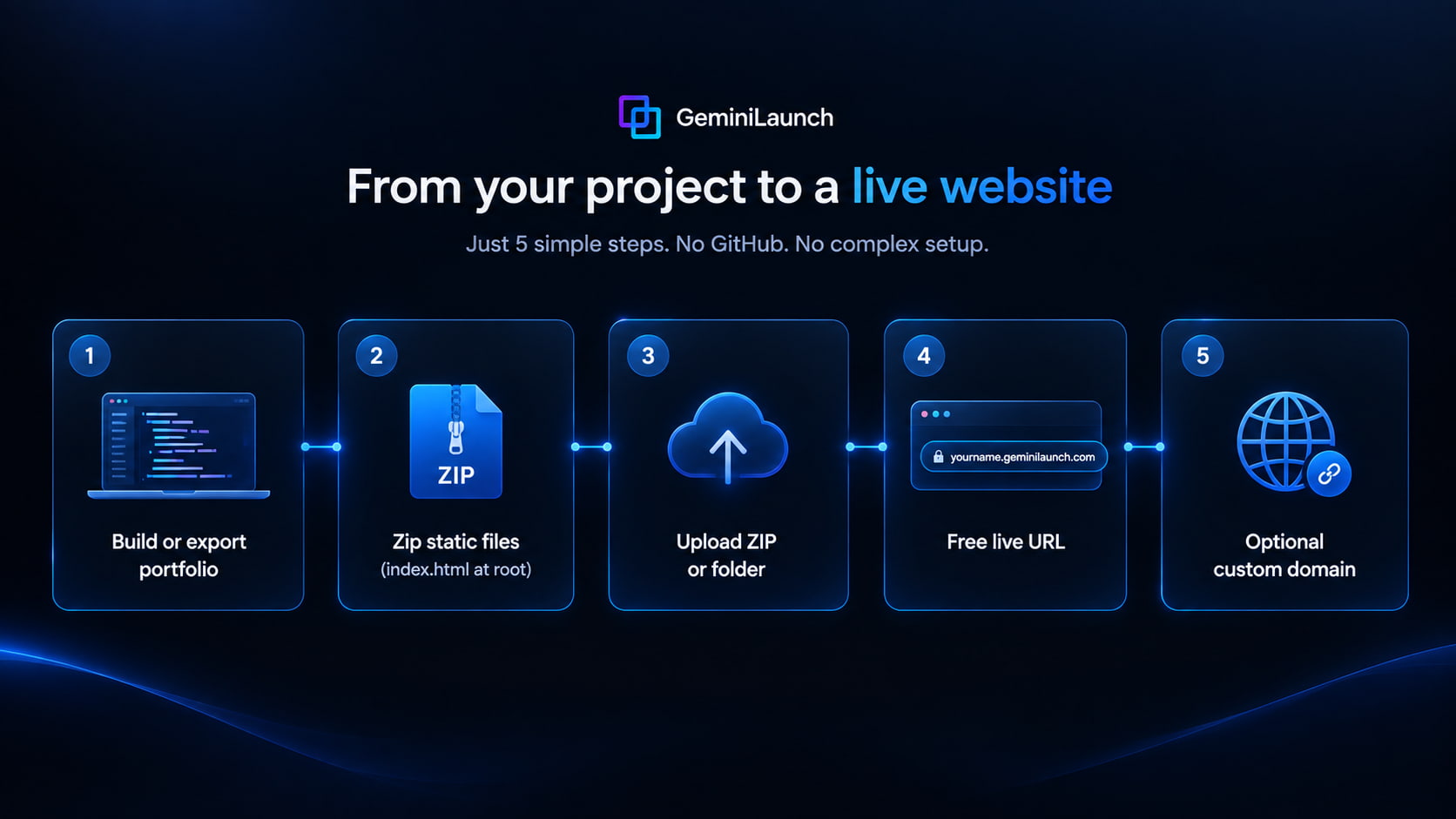
From portfolio folder to live URL
- 1
Confirm you have a finished static portfolio
You need HTML, CSS, JS, and images that open in a browser — not a WordPress export, not a private Figma file, and not an unbuilt React src folder. If you open index.html locally (or a local preview) and the homepage looks right, you are ready to ZIP.
Still one HTML or React block in ChatGPT or Claude? Paste into GeminiLaunch’s Code tab instead of forcing a ZIP. This guide is for a folder of files you already have.
- 2
Put the right files at the ZIP root
index.html must sit at the top of the archive (or folder), next to css/, js/, assets/, or images/ — not buried inside portfolio/portfolio/. Hand-coded sites ZIP the project root. Vite or CRA portfolios ZIP only the production output (dist/ or build/) after npm run build.
Never include node_modules, .git, or src/ in the upload. Those bloat the ZIP and will not run as a website.
- 3
Shrink images before you hit the size cap
Portfolios fail Free-tier uploads when project photos are huge. Compress JPEGs/WebPs, drop unused mockups, and keep the archive lean. GeminiLaunch Free allows up to 5 MB per site; Pro and Scale allow up to 45 MB.
If the ZIP is still over 5 MB after compression, publish on Pro — or host oversized images on an image CDN and keep the ZIP for structure only.
- 4
Upload the ZIP or folder and go live
On GeminiLaunch, create a project, open ZIP / Folder, upload the archive or folder, and click Go Live. You get a free HTTPS URL on *.geminilaunch.com — no GitHub account, no public repository, no Actions YAML.
Need yourname.com on a resume? Connect a custom domain on Pro ($15/mo) after the free URL works.
- 5
Share the URL where recruiters look
Add the live link to LinkedIn, your resume PDF, email signature, and job applications. Re-upload an updated ZIP when you add a case study (editing and republishing need Pro or Scale on Free-plan sites).
Test the link in a private browser window before you send applications. Catch blank pages with the blank-ZIP checklist linked below.
Ready? Open GeminiLaunch → ZIP / Folder → upload → Go Live. Want yourname.com on the resume afterward? Start with the free URL, then connect a domain on Pro.
Limits
Image-heavy portfolios and the Free 5 MB ceiling
Most blank or failed portfolio uploads are not “hosting bugs” — they are oversized screenshots or the wrong folder tree. GeminiLaunch Free accepts up to 5 MB per site upload; Pro and Scale accept up to 45 MB.
Export case-study images as compressed JPEG or WebP before zipping.
Prefer 1200–1600px wide project shots over 4K screen captures.
Remove unused mockups, .DS_Store, and __MACOSX folders from the archive.
If you still need more room, Pro’s 45 MB cap covers most designer portfolios.
White screen after upload? Jump to Why Your Uploaded Website Is Blank for nested ZIP and missing index.html fixes.
Avoid these
Common mistakes that break portfolio launches
Making the repo public just to use GitHub Pages Free
GitHub Free includes Pages for public repositories. Publishing from a private repo needs a paid GitHub plan. A ZIP upload keeps source off GitHub entirely while the portfolio stays public for recruiters.
Uploading the whole monorepo instead of the site output
Recruiters need the finished site, not your package.json and drafts. Upload the static build or the HTML root only.
Nested ZIP (index.html one folder too deep)
If the archive opens to portfolio/index.html instead of index.html at the top, many hosts show a blank or directory-style miss. Zip the contents, not an extra wrapper folder.
Ignoring Free 5 MB with uncompressed screenshots
Full-resolution PNGs of every case study routinely blow past 5 MB. Compress first, or use Pro’s 45 MB ceiling.
Expecting contact forms or CMS from a static ZIP
Static hosting serves files. Forms need a third-party endpoint (or a different stack). Keep the portfolio static and link to Calendly, Formspree, or email.
Compare
Portfolio hosting options without a public repo
Pick the path that matches privacy, commercial rules, and how often you update the site. Deep Drop feature matrices live in separate posts — this table is portfolio-focused only.
| Host | Method | Worth knowing |
|---|---|---|
| GeminiLaunch | ZIP / folder upload (or paste) | No public repo · Free durable URL · Free 5 MB / Pro 45 MB · commercial-friendly |
| GitHub Pages (Free) | Public repository | Source visible · private-repo Pages needs paid GitHub · soft bandwidth limits |
| Netlify Drop | Drag folder / ZIP | Strong Drop UX · claim/account rules · see Drop comparison for limits |
| Vercel Drop | Drop folder / ZIP | Each drop is a new project · Hobby is non-commercial |
Drop claim windows and builds → GeminiLaunch vs Netlify, Cloudflare & Vercel Drop.
Paid client sites on Hobby Drop → client-sites Netlify/Vercel policy guide (different from hosting your own portfolio).
Custom domain on a resume → Launch an AI Website on a Custom URL.
Related guide
Host Vite / React dist (no GitHub)
npm run build → upload dist or build only.
Read the guideFAQ
Frequently asked questions
Direct answers for job seekers, freelancers, and designers hosting a portfolio ZIP without a public GitHub repository.
Can I host a portfolio from a ZIP without GitHub?
Yes. Package your finished static files (with index.html at the root) into a ZIP or upload the folder to a static host such as GeminiLaunch. You do not need a GitHub account or a public repository for that path.
Why avoid a public GitHub repo for a portfolio?
A public repo exposes source, unfinished drafts, comments, and sometimes secrets. Many job seekers and freelancers want a public website without a public codebase. GitHub Free Pages is tied to public repositories; private-repo Pages requires a paid GitHub plan.
Does GitHub Pages work with a private repository on Free?
No. According to GitHub’s plans documentation, GitHub Free includes Pages in public repositories. GitHub Pro and higher add Pages for private repositories. Even then, the published site is usually public on the internet unless you use Enterprise Cloud access controls.
What should be inside my portfolio ZIP?
A top-level index.html plus the CSS, JavaScript, fonts, and images it references. For Vite/React, use the dist or build output after npm run build — not src or node_modules.
Is hosting a portfolio ZIP free on GeminiLaunch?
Yes for a free *.geminilaunch.com URL. Folder and ZIP uploads are capped at 5 MB on Free and 45 MB on Pro ($15/mo) and Scale. Custom domains start on Pro. Free-plan uploads stay as first published; editing and republishing need Pro or Scale.
My portfolio ZIP is larger than 5 MB — what now?
Compress images (WebP/JPEG), remove unused assets, or upgrade to Pro for up to 45 MB. Oversized photography portfolios often need compression even on paid tiers.
Can recruiters see my source code if I use GeminiLaunch?
Visitors can view client-side HTML/CSS/JS in the browser (as with any static site). What you avoid is publishing a public Git repository of your project history, issues, and working files.
How is this different from “host a website from a ZIP”?
The ZIP mechanics are the same. This guide focuses on portfolio use cases: resume links, LinkedIn, GitHub Pages privacy tradeoffs, and image-heavy size limits. For the general ZIP happy path, see Host a Website from a ZIP or Folder.
Can I use myname.com for my portfolio?
Yes on GeminiLaunch Pro: publish first on the free subdomain, then connect your domain with DNS. See the custom URL / domain guides for the DNS steps.
Like this guide? Make GeminiLaunch a preferred source.
Get our hosting and deployment guides surfaced first in your Google results, AI Overviews, and Top Stories.
Put your portfolio online — without a public repo
Upload a ZIP or folder, get a free live URL for LinkedIn and applications, then connect yourname.com when you are ready.